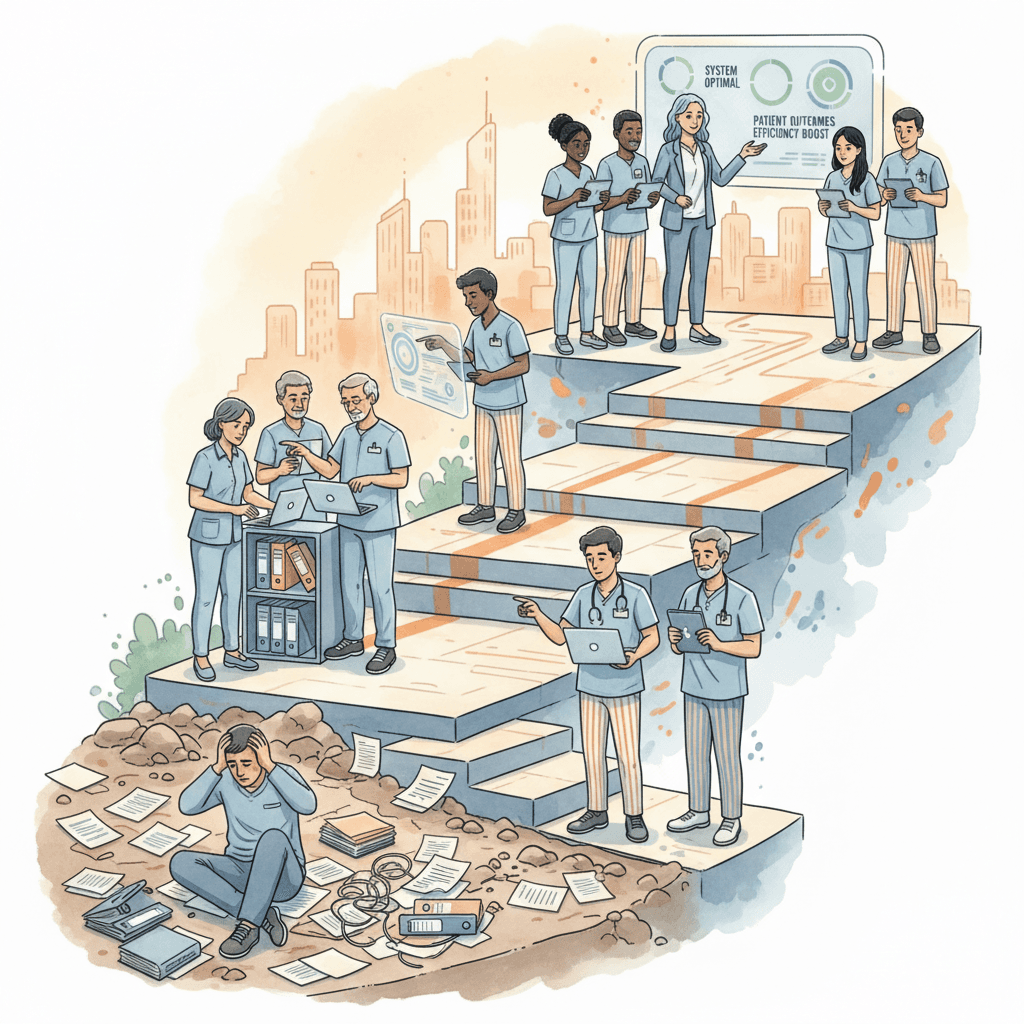
Key Takeaways
- Generic, one-size-fits-all dashboards overwhelm frontline staff with executive data and deprive executives of the operational detail they need — role-based design ensures each leader sees only what they can act on.
- A direct support professional needs resident-level task lists and real-time alerts; a COO needs portfolio-wide trend lines and regulatory risk indicators. Designing for both on the same screen guarantees neither is served well.
- Actionable dashboards pass the "so what?" test: every metric displayed should prompt a clear next step when it crosses a threshold, not simply inform the viewer that a number exists.
- The twelve core metrics every residential care operator should track fall into four categories — safety, quality, operational, and financial — and each should have a defined owner, a refresh frequency, and an alert threshold.
- Technology selection matters less than information architecture. A well-designed dashboard on a basic platform outperforms a poorly designed dashboard on an enterprise system every time.
- Start small: identify five metrics per role, define what "good" and "bad" look like for each, build one dashboard per role, and iterate monthly based on whether leaders are actually using the data to make decisions.
Introduction
It is 6:45 in the morning. A facility manager at a sixteen-bed group home opens her laptop before the day shift arrives. She has fifteen minutes to understand what happened overnight, what needs attention today, and whether anything requires escalation before she walks the floor. What should she see?
In most residential care organizations, the answer is: whatever she can piece together. An email from the overnight shift lead, maybe. A paper log on the front desk. A notification from the electronic health record about an unsigned order. A text message from a direct support professional about a resident who did not sleep well. The staffing schedule is in a spreadsheet. The incident log is in a different system. The medication administration record is in a third. The family communication tracker, if one exists at all, lives in someone's inbox.
She has data. What she does not have is a dashboard — a single view that aggregates, prioritizes, and presents the information she needs to make decisions in the next fifteen minutes. By the time she has manually assembled a picture of the home's current state, her fifteen minutes are gone, the day shift has arrived, and she is already in reactive mode.
Now consider a different version of the same morning. She opens a dashboard designed for her role. Staffing status is green — all positions are filled for the day shift. Three documentation items from the overnight shift are flagged as incomplete. One incident occurred at 2:14 AM — a resident fall, assessed by the on-call nurse, no injury, physician notified, follow-up monitoring in place. Two medication administrations are due in the next hour. One family member is expecting a return call today. The dashboard presents this information in a structured, prioritized view. She knows exactly what to do next.
The difference between these two mornings is not better data. The data existed in both scenarios. The difference is design — specifically, dashboard design that respects the role of the person looking at it. A facility manager needs a different view than a clinical director. A clinical director needs a different view than a regional director. A regional director needs a different view than a COO. When every role looks at the same generic dashboard, the result is predictable: important signals are buried in noise, urgent items are mixed with informational ones, and the people who need to act fastest have to work hardest to find the information that matters.
This article examines how to design care operations dashboards that are organized by role, built for daily use, and structured to drive action rather than passive awareness. It is written for operations leaders, clinical directors, and facility managers in residential care — organizations managing group homes, assisted living communities, IDD facilities, and long-term care homes — who have invested in data collection but have not yet realized the return on that investment through effective presentation.
The Problem with One-Size-Fits-All Dashboards
Most care organizations that have moved beyond spreadsheets and paper have ended up with a reporting system that provides one or two dashboard views for the entire organization. A home screen. An executive summary. Maybe a report library. These were often implemented as part of a broader electronic health record or care management platform, and the dashboard was a secondary consideration — something the system happened to include, rather than something that was deliberately designed to serve specific operational needs.
The result is a dashboard that tries to show everything to everyone. It might include resident census alongside medication error rates, staffing hours next to billing summaries, incident counts beside care plan review schedules. For a brief period after implementation, leadership checks the dashboard regularly. Within three to six months, most leaders have stopped looking at it daily. It has become a reporting tool rather than an operating tool — something they consult when preparing for a board meeting or a regulatory survey, not something that shapes their daily decisions.
This pattern is not unique to residential care. It is well documented across industries. Research in information design consistently demonstrates that dashboards serving multiple audiences end up serving none of them well. The reason is straightforward: different roles have different decision horizons, different action authorities, and different information needs. A metric that is critical for a frontline nurse — the medication schedule for the next two hours — is irrelevant noise for a COO reviewing quarterly performance. A metric that is essential for a COO — portfolio-wide occupancy trends — is useless to the nurse trying to manage her shift.
Why Clinical Leaders and Operations Leaders Diverge
The most common misalignment is between clinical and operational perspectives. A clinical director needs to see documentation quality scores, care plan compliance, medication error trends, and clinical outcome indicators. These metrics are longitudinal — they matter over weeks and months, not hours. A clinical director uses dashboard data to identify patterns: is documentation quality declining at a specific site? Are medication errors clustering around certain times of day? Are care plans being reviewed on schedule?
An operations leader — a facility manager, a regional director — needs different data at a different cadence. They need to know right now whether the home is staffed, whether incidents have occurred, whether documentation is being completed on time, and whether any situations require escalation. Their time horizon is today and this week, not this quarter.
When both perspectives are served by a single view, neither gets what it needs. The clinical director is distracted by today's staffing metrics. The facility manager is overwhelmed by quarterly trend charts. Both end up ignoring the dashboard and reverting to the tools they trust — phone calls, text messages, email threads, and the institutional knowledge carried in their heads.
Too Many Metrics Equals No Actionable Insight
A second problem with generic dashboards is metric overload. The instinct during dashboard design is to include everything that might be useful. Incident counts by type. Falls per 1,000 resident days. Medication error rates. Staffing ratios by shift. Documentation completion percentages. Census by acuity level. Family satisfaction scores. Regulatory citation history. Training compliance rates. Overtime hours. Agency utilization.
Each of these metrics is individually valuable. Collectively, displayed on a single screen, they create a cognitive burden that reduces the likelihood of any single metric being acted upon. Attention is finite. When a leader opens a dashboard and sees thirty metrics, the brain's response is not to carefully evaluate each one — it is to scan for anything obviously wrong and then close the screen. This is not a failure of discipline. It is a predictable consequence of information design that ignores how people actually process visual data.
The research on dashboard effectiveness is clear: daily-use dashboards should contain between five and nine metrics per view. Each metric should have a clear threshold that distinguishes normal from abnormal. And each abnormal reading should have an implied or explicit next action. A dashboard that shows a staffing ratio of 1:6 is informational. A dashboard that shows a staffing ratio of 1:6 in red, with a note that the policy threshold is 1:4, and a link to the on-call staffing pool, is actionable. The difference between these two designs is the difference between a dashboard that gets checked daily and one that gets ignored.
The solution is not to build a better single dashboard. It is to build multiple dashboards — one per role — each designed around the specific decisions that role makes on a daily basis. This is what role-based dashboard design means in practice: not personalization as a convenience feature, but role alignment as an architectural principle.
Dashboard by Role: What Each Leader Needs
The following breakdown describes what a role-based dashboard architecture looks like for a residential care organization. The specific metrics will vary by care setting, jurisdiction, and organizational priorities, but the structural principle is consistent: each role should see a daily view that reflects its decision authority, its time horizon, and its sphere of responsibility.
Direct Support Professional / Nurse
Decision horizon: This shift (next 8 to 12 hours) Sphere of responsibility: My assigned residents Primary question: What do I need to do right now, and is anything abnormal?
The frontline care worker — whether a DSP in an IDD group home or a nurse in an assisted living community — needs the most granular, most immediate dashboard in the organization. This is not a reporting tool. It is a task management and alerting interface.
The daily view for a DSP or nurse should include:
- My residents today. A list of the residents assigned to this staff member for this shift, with a brief status indicator for each: stable, new orders, behavioral flag, family visit expected, appointment scheduled.
- Pending tasks. A prioritized task list showing what needs to be completed this shift — scheduled care activities, documentation items, follow-up actions carried over from the previous shift.
- Medication schedule. Upcoming medication administration times for assigned residents, with flags for any new medications, recent changes, or PRN administrations in the last 24 hours.
- Recent incidents. Any incidents involving assigned residents in the last 24 to 48 hours, with a brief description and follow-up status. This ensures continuity — a DSP coming on shift knows that Resident A had a fall yesterday and is on heightened monitoring.
- Vitals and clinical alerts. For settings that track vital signs, any readings outside normal parameters for assigned residents. For behavioral health settings, any behavioral escalation alerts or protocol changes.
This dashboard should be accessible on a mobile device. Frontline staff do not sit at desks. If the dashboard requires a desktop computer, it will not be used during the shift — it will be checked at the start and then ignored. The design should prioritize scannability: green for normal, yellow for attention needed, red for urgent action required.
House / Facility Manager
Decision horizon: Today and this week Sphere of responsibility: This facility (all residents, all staff) Primary question: Is this home running safely and on track today? What needs my attention?
The facility manager is the operational nerve center of a single site. This role needs a broader view than frontline staff but a more granular view than regional leadership. The daily dashboard for a facility manager should answer a set of questions that determine whether the home is functioning within acceptable parameters.
- Staffing status. Current shift staffing versus required staffing, including any open positions, call-outs, and agency staff on site. A clear indicator of whether staffing ratios meet policy requirements. Upcoming shift coverage status for the next 24 hours.
- Incident count and severity. Number of incidents in the last 24 hours, categorized by type (falls, behavioral, medication, elopement, injury). Any incidents above a defined severity threshold should be flagged for immediate review.
- Documentation completion percentage. The percentage of required documentation completed for the previous shift and the current shift. This includes shift notes, medication administration records, incident reports, and any scheduled assessments. Incomplete documentation should be itemized so the manager can follow up with specific staff.
- Overdue tasks. Any care tasks, assessments, or follow-up items that are past their due date. This is distinct from pending tasks — overdue items represent a compliance or quality risk and should be treated with higher urgency.
- Family communications. Pending family contacts — return calls, scheduled meetings, unanswered messages. In residential care, timely family communication is both a quality indicator and a regulatory expectation, and lapses frequently generate complaints.
The facility manager's dashboard should also include a 7-day trend line for incident volume and documentation completion. This provides context: is today's incident count unusual, or consistent with the recent pattern? A single day's data is a snapshot. A week of data is the beginning of a story.
Clinical Director / Director of Nursing
Decision horizon: This week and this month Sphere of responsibility: Clinical quality across all facilities Primary question: Are we delivering clinically sound care, and where are the quality gaps?
The clinical director operates at a different altitude. This role is less concerned with today's task list and more concerned with whether clinical systems are functioning as designed across the organization. The dashboard should surface patterns that individual facility managers might not see because they are embedded in a single site.
- Clinical compliance metrics. Percentage of care plans reviewed on schedule, percentage of assessments completed within required timeframes, percentage of physician orders signed within the regulatory window. These are the metrics that regulatory surveyors will examine, and the clinical director needs to see them aggregated across sites.
- Documentation quality scores. If the organization uses a documentation quality audit process — and it should — the clinical director needs to see aggregate scores by site, by documentation type, and over time. A declining quality score at a specific site is an early warning of training needs or supervisory gaps.
- Care plan review status. A clear view of which residents across all facilities have care plans due for review, overdue for review, or recently updated. This ensures that no resident falls through the cracks in the care planning process.
- Medication error rates. Errors per 1,000 doses administered, trended over time and broken down by site, by error type (wrong dose, wrong time, wrong resident, omission), and by shift. Medication errors are both a clinical safety indicator and a regulatory compliance measure.
- Clinical outcome indicators. Depending on the care setting, this might include hospitalization rates, wound healing progress, weight change trends, behavioral episode frequency, or restraint use. These are the outcomes that reflect whether the care being delivered is effective, not just compliant.
The clinical director's dashboard should emphasize comparison across sites. The value of this view is not in knowing that Site A has a 94% care plan compliance rate — it is in knowing that Site A is at 94% while Site B is at 78%, prompting investigation into what is different at Site B.
Regional Director
Decision horizon: This week to this quarter Sphere of responsibility: Multiple facilities within a region Primary question: Which sites need attention, and is the region's performance trending in the right direction?
The regional director manages a portfolio of facilities and needs a dashboard that enables comparative oversight without requiring deep dives into each site's operational detail. This role's primary function is pattern recognition: identifying which sites are performing well, which are drifting, and which require intervention.
- Cross-facility comparison. A side-by-side view of key performance indicators across all sites in the region: incident rates, staffing adequacy, documentation compliance, census, and any regulatory action items. This view should make outliers immediately visible — the site with incident rates twice the regional average, the site with staffing ratios consistently below policy.
- Trending incidents. Not just current incident counts, but trends over the last 30, 60, and 90 days. The regional director needs to see whether a site's incident rate is stable, improving, or deteriorating. A site with 8 incidents this month is in a very different situation if last month it had 4 (escalating pattern) versus 12 (improving pattern).
- Survey readiness scores. If the organization conducts internal mock surveys or readiness assessments, the regional director needs to see each site's current readiness score, areas of identified risk, and the status of corrective action plans from previous surveys.
- Staffing ratios and stability. Average staffing ratios by site, agency utilization percentages, and turnover rates. Staffing instability at a site correlates with nearly every other quality and safety indicator, and the regional director needs to see it early.
This dashboard should default to an exception-based view: show the regional director what is abnormal, what has changed, and what requires decision. Sites operating within normal parameters should be visible but not prominent. The regional director's attention is a limited resource, and the dashboard should direct it where it will have the most impact.
COO / Executive
Decision horizon: This month to this year Sphere of responsibility: The entire organization Primary question: Is the organization performing, compliant, and financially sustainable? Where are the strategic risks?
The executive dashboard is the most aggregated and the most strategic. The COO does not need to know that a specific resident at a specific site had a fall this morning. The COO needs to know whether the organization's fall rate is trending upward, whether it is within industry benchmarks, and whether the trend correlates with staffing changes, training investments, or census fluctuations.
- Portfolio KPIs. Organization-wide metrics for safety (total incident rate, serious incident rate), quality (documentation compliance, care plan timeliness, clinical outcomes), and operations (staffing adequacy, turnover rate, agency utilization). These should be trended over time with clear benchmarks.
- Financial metrics. Revenue per resident day, labor cost as a percentage of revenue, overtime as a percentage of total labor hours, census and occupancy rates, accounts receivable aging. In residential care, financial health and care quality are deeply interconnected — financial stress almost always manifests as quality deterioration.
- Regulatory risk heat map. A visual representation of regulatory risk across the portfolio, based on survey readiness scores, citation history, complaint volume, and corrective action plan status. The COO needs to see, at a glance, which facilities are most exposed to regulatory action.
- Quality trends. Longitudinal views of the organization's core quality metrics, with the ability to compare current performance to the same period in the prior year. This enables the COO to assess whether strategic initiatives — new training programs, staffing model changes, technology implementations — are producing measurable improvement.
Summary: Metrics by Role
| Metric Category | DSP / Nurse | Facility Manager | Clinical Director | Regional Director | COO / Executive |
|---|---|---|---|---|---|
| Resident task list | Primary | Overview | - | - | - |
| Medication schedule | Primary | Alerts only | Error rates | Error trends | Error benchmarks |
| Incident detail | My residents | All facility | By type / trend | Cross-site comparison | Portfolio rate |
| Staffing status | My shift | This facility | - | Cross-site ratios | Organization-wide |
| Documentation completion | My tasks | Facility % | Quality scores | Cross-site % | Portfolio compliance |
| Care plan status | My residents | Overdue flags | Review compliance | Cross-site compliance | Portfolio trends |
| Financial metrics | - | - | - | Regional performance | Full P&L view |
| Regulatory readiness | - | Action items | Clinical compliance | Site readiness scores | Risk heat map |
| Family communication | My residents | Pending contacts | - | Complaint trends | Satisfaction trends |
Designing for Action, Not Just Information
The distinction between an informational dashboard and an actionable dashboard is the single most important concept in dashboard design for care operations. An informational dashboard tells you what is happening. An actionable dashboard tells you what to do about it. Most dashboards in residential care today are informational. They present data. They do not drive decisions.
The "So What?" Test
Every metric on a dashboard should survive a simple test: when this number changes, what does the person looking at it do differently? If the answer is "nothing" — if the metric is interesting but not decision-relevant for that role — it does not belong on that role's daily view.
Consider documentation completion percentage. For a facility manager, a documentation completion rate below 90% for the previous shift should trigger a specific action: identify which staff members have incomplete documentation, follow up before end of day, and investigate whether the gap is a training issue, a workload issue, or a technology access issue. The metric drives a decision.
For a COO, the same metric at the facility level is not actionable — the COO is not going to follow up with individual staff. But the metric becomes actionable at the portfolio level when it reveals a pattern: documentation completion is declining across four of twelve sites, all of which recently transitioned to a new documentation system. That pattern drives a different decision — re-evaluate the implementation approach, allocate additional training resources, or adjust the timeline.
The same data point serves different roles differently. The design challenge is not choosing the right metrics. It is choosing the right metrics for each role and presenting them at the right level of aggregation.
Alert Thresholds
Actionable dashboards use alert thresholds — predefined boundaries that distinguish normal performance from performance that requires attention. Without thresholds, every metric on the dashboard has equal visual weight, and the leader's eye must evaluate each one individually to determine whether it warrants concern. With thresholds, the dashboard does the evaluation and draws attention to the exceptions.
Threshold design requires organizational decisions. What staffing ratio triggers an alert? What incident count per 24-hour period is normal for a facility of this size, and what count is elevated? What documentation completion percentage is acceptable, and what percentage indicates a problem? These thresholds should not be arbitrary — they should be derived from organizational policy, regulatory requirements, and historical performance data.
A practical approach is to define three tiers: green (within normal range), yellow (approaching threshold — monitor closely), and red (threshold breached — action required). Green means "no action needed." Yellow means "be aware, check again soon." Red means "investigate and act today."
The power of this approach is that it transforms the daily dashboard check from a data review exercise into a triage exercise. The leader opens the dashboard, scans for yellow and red indicators, and immediately knows where to focus. Sites operating in the green require no attention. This is how dashboard design scales to multi-site operations — by filtering out the noise and amplifying the signals.
Drill-Down Capability
A summary metric that raises a question must lead to the detail that answers it. If the regional director's dashboard shows that Site C has a medication error rate of 3.2 per 1,000 doses — double the organizational average — the next action is to understand why. The dashboard should allow the regional director to drill into Site C's medication error data: when are the errors occurring (shift, time of day), what type of errors (omission, wrong time, wrong dose), which staff are involved, and what the trend looks like over recent weeks.
Without drill-down capability, the dashboard creates awareness but does not enable investigation. The regional director sees the problem, opens a separate system to pull the detail, spends thirty minutes assembling the data, and may or may not find the answer. The dashboard has created work rather than eliminating it.
Effective drill-down follows a consistent pattern: summary view (the KPI) leads to category breakdown (error types, sites, shifts), which leads to individual records (specific incidents, specific staff, specific dates). This hierarchy should be navigable within the dashboard itself, not by exporting data to a spreadsheet.
Time-Series Context
A number without context is noise. A staffing ratio of 1:5 means nothing without knowing what it was last week, what it was last month, and what the organizational target is. Every metric on a daily dashboard should be presented with at least one form of temporal context: a trend line, a comparison to the prior period, or a comparison to a benchmark.
Time-series context transforms interpretation. A documentation completion rate of 88% feels acceptable in isolation. Presented alongside a trend line showing that it has declined from 96% over the past six weeks, it becomes a signal that something has changed — new staff, increased census, system access problems, supervisory gaps — and warrants investigation.
For daily-use dashboards, the most useful time-series view is typically a rolling 7-day or 30-day trend. This provides enough history to identify patterns without overwhelming the viewer with long-term data that belongs in a monthly or quarterly report.
The 12 Metrics Every Care Operator Should Track
While the specific metrics on each role's dashboard will vary, there is a core set of operational metrics that every residential care organization should be tracking, regardless of size, care setting, or jurisdiction. These twelve metrics cover the four domains that determine organizational health: safety, quality, operations, and financial performance.
Safety Metrics
1. Incident Rate (per 1,000 resident days) The most fundamental safety metric in residential care. Total incidents divided by total resident days, multiplied by 1,000. This normalizes for census variation and allows comparison across facilities of different sizes. Track by incident type (falls, behavioral, medication, elopement, injury) for more granular analysis. Industry benchmarks vary by care setting, but tracking the rate over time reveals whether the organization's safety trajectory is improving or deteriorating.
2. Serious Incident Rate Not all incidents carry equal weight. A near-miss and a fall resulting in hospitalization are both incidents, but they require very different organizational responses. Define a "serious incident" threshold — typically incidents resulting in injury, hospitalization, emergency department visit, or regulatory reporting — and track this rate separately. The ratio of serious to total incidents is itself informative: a high total incident rate with a low serious incident rate suggests that the organization is good at capturing events but that most events are minor. A high serious incident rate relative to total incidents suggests underreporting of minor events.
3. Fall Rate (per 1,000 resident days) Falls are the single most common safety event in residential care and the most common subject of regulatory citations and liability claims. Track separately from the overall incident rate. Benchmark: in long-term care settings, fall rates typically range from 1.5 to 3.0 falls per 1,000 resident days. Rates consistently above 3.0 warrant systematic intervention — environmental assessment, medication review, staffing analysis, and care plan revision.
Quality Metrics
4. Documentation Completion Rate The percentage of required documentation completed within the expected timeframe. "Required documentation" should be explicitly defined: shift notes, medication administration records, incident reports, scheduled assessments, care plan updates. Incomplete documentation is both a quality indicator (it reflects process adherence) and a compliance risk (surveyors will cite missing or late documentation). Target: 95% or higher. Below 90% indicates a systemic issue.
5. Care Plan Timeliness The percentage of care plans that are current — reviewed and updated within the required interval. Regulatory requirements vary by jurisdiction, but most require care plan reviews at least quarterly, with updates triggered by significant changes in condition. Track the percentage of residents with current care plans across each facility. A declining percentage often indicates that clinical staff are overwhelmed or that the care planning process is too cumbersome.
6. Medication Error Rate (per 1,000 doses administered) Medication errors per 1,000 doses administered, broken down by error type. This metric captures the reliability of the medication administration process. In residential care settings, common error types include wrong time, omission, wrong dose, and documentation errors. Industry benchmarks suggest that well-managed programs achieve rates below 1.0 per 1,000 doses. Rates above 2.0 per 1,000 doses warrant root cause analysis and process redesign.
Operational Metrics
7. Staffing Ratio (actual vs. required) The ratio of direct care staff to residents for each shift, compared to the organization's policy requirement and any applicable regulatory minimum. Track actual staffing, not scheduled staffing — the distinction matters because call-outs, no-shows, and unfilled positions create gaps between the schedule and reality. Express as a percentage: actual hours worked divided by required hours. Below 90% indicates chronic understaffing.
8. Staff Turnover Rate (annualized) The percentage of direct care staff who leave the organization within a twelve-month period. Residential care turnover rates industry-wide range from 40% to more than 100% annually, depending on setting and region. High turnover correlates with lower quality scores, higher incident rates, and greater regulatory risk. Track monthly and annualize for trend analysis.
9. Agency Utilization Rate Agency or temporary staff hours as a percentage of total direct care hours. Agency staff are a necessary staffing tool, but high agency utilization indicates workforce instability and increases clinical risk — agency staff are less familiar with residents, organizational protocols, and facility-specific procedures. Most organizations target agency utilization below 10% of total hours. Sustained rates above 20% represent a significant operational and quality risk.
Financial Metrics
10. Labor Cost per Resident Day Total direct care labor cost (including benefits, overtime, and agency premiums) divided by total resident days. This is the single most important cost metric in residential care, because labor typically represents 60% to 70% of total operating expense. Track separately for regular staff, overtime, and agency to identify cost drivers. An increasing labor cost per resident day without a corresponding increase in census or acuity warrants investigation.
11. Occupancy Rate Occupied beds or slots as a percentage of licensed capacity. In residential care, occupancy directly affects revenue and cost efficiency. Fixed costs (facility, management, administrative) are spread across more residents at higher occupancy. Track by facility and portfolio-wide. Target occupancy depends on care setting: assisted living typically targets 90% or higher; group homes may operate at 85% or higher depending on licensing and referral patterns.
12. Overtime as Percentage of Total Labor Hours Overtime hours divided by total labor hours. Overtime is a symptom — of understaffing, poor scheduling, unexpected absences, or workload spikes. It is also expensive: overtime premium pay typically adds 50% to the hourly cost. Track by facility and by shift to identify patterns. A consistently high overtime percentage (above 8% to 10%) at a specific facility usually points to a structural staffing problem rather than an occasional scheduling gap.
Technology Considerations
The metrics and role-based design principles described above are technology-agnostic. They can be implemented, in varying degrees, with spreadsheets, basic business intelligence tools, or purpose-built care operations platforms. However, the technology choices an organization makes have a significant impact on whether dashboards are actually used daily or become another underutilized report.
Real-Time vs. Batch Data
The most consequential technology decision is data freshness. Dashboards fed by batch data — imported nightly, weekly, or on demand — are useful for retrospective analysis but inadequate for daily operational decisions. If the facility manager's dashboard shows yesterday's staffing data rather than this morning's, it cannot help with the decision she faces right now: is the home adequately staffed for today's shift?
Real-time or near-real-time data — where the dashboard reflects information as it is entered at the point of care — transforms the dashboard from a reporting tool into an operating tool. When a DSP documents an incident and it immediately appears on the facility manager's dashboard, the information pipeline that traditionally took days now takes minutes. When a medication is administered and the clinical director's error rate updates in real time, patterns become visible while they are still actionable.
The trade-off is integration complexity. Real-time dashboards require that the data sources — electronic health records, staffing systems, incident reporting tools, medication administration records — either share a common platform or are connected through real-time data feeds. Organizations using multiple disconnected systems face a significant integration challenge. This is one reason why unified care operations platforms, which capture operational data in a single system, are increasingly attractive to multi-site operators.
Mobile Access
In residential care, the people who most need dashboard access — facility managers and frontline staff — are the least likely to be sitting at a desk. A dashboard that is only accessible on a desktop computer is a dashboard that will be checked once at the start of the day and not again until the next morning. The value of a daily-use dashboard depends on accessibility throughout the day, which in practice means mobile-responsive design or a dedicated mobile application.
Mobile access is particularly important for facility managers who oversee multiple homes and spend their days traveling between sites. A mobile dashboard that shows the real-time status of each home allows the manager to prioritize which site to visit first, what to focus on during the visit, and whether any situation requires immediate phone intervention before arriving on site.
Configurable Views
No two organizations define their roles, metrics, or thresholds identically. A dashboard system that hardcodes specific metrics or specific role views will fit some organizations and frustrate others. Configurable dashboards — where administrators can select which metrics appear for each role, define alert thresholds, and adjust the layout — provide the flexibility that diverse care settings require.
Configuration should be governed, not democratized. If every user can customize their own dashboard, the organization loses the consistency that role-based design is intended to create. The better model is role-level configuration managed by an administrator: the organization defines what the facility manager dashboard includes, what thresholds apply, and what drill-down paths are available. Individual users see the view their role prescribes.
Permission-Based Access
Role-based dashboards naturally align with permission-based data access. A DSP should see data for their assigned residents, not for the entire facility. A facility manager should see data for their site, not for other sites. A regional director should see data for their region, not for the entire organization. These access boundaries are not just a usability feature — they are a privacy and compliance requirement, particularly in jurisdictions with strict health information privacy regulations.
Platforms like Harmony approach this through role-based access controls that govern both data visibility and dashboard content. When a user logs in, the system determines their role, their site assignment, and their access level, and presents the appropriate dashboard automatically. This eliminates the need for users to navigate to the right view and ensures that data access aligns with organizational policy and regulatory requirements.
Integration and Interoperability
For organizations that cannot consolidate all operational data into a single platform, dashboard effectiveness depends on integration — the ability to pull data from multiple source systems into a unified view. Common integration points include electronic health records (for clinical and documentation data), scheduling systems (for staffing data), billing systems (for financial data), and communication platforms (for family engagement data).
The technical approaches to integration range from simple file-based imports to API-driven real-time connections. The choice depends on the organization's technical capacity, the capabilities of its existing systems, and the acceptable data latency. As a general principle, safety-critical metrics (incidents, staffing, medication errors) should be integrated in real time or near real time, while financial and trend metrics can tolerate daily or weekly batch updates.
Case Scenario: Ridgeview Senior Living
Ridgeview Senior Living operates six assisted living communities across two states, serving approximately 480 residents. The organization uses an electronic health record for clinical documentation, a separate staffing and scheduling platform, and a spreadsheet-based incident tracking system maintained by each site's administrator. Financial reporting is handled through the organization's accounting software, with monthly reports compiled by the corporate finance team.
Before implementing role-based dashboards, Ridgeview's clinical director, Dr. Amara Osei, started every morning by logging into the EHR to check documentation flags, opening the staffing platform to review overnight schedules, calling each administrator to ask about incidents, and scanning her email for escalations from facility managers. This process took between 45 minutes and an hour. On days when something was missed in the process — a medication error that the administrator had not yet relayed, an incident that had not been entered into the spreadsheet — Dr. Osei did not learn about it until later in the day, sometimes from a concerned family member rather than from her own team.
Ridgeview's leadership decided to address this by implementing a unified care operations platform that replaced the spreadsheet-based incident tracking and integrated with the existing EHR and staffing system. But the technology change alone was not the decisive factor. What changed Dr. Osei's morning was the dashboard design.
Working with their operations team, Ridgeview defined four dashboard views: one for direct care staff, one for facility administrators, one for the clinical director, and one for the COO. Each view was designed around the specific decisions that role makes daily.
Dr. Osei's clinical director dashboard opens to a cross-facility summary showing three things: clinical compliance metrics (care plan review timeliness, assessment completion rates, medication error counts), documentation quality flags (any site below the 92% quality threshold is highlighted in yellow; below 85% in red), and open clinical items requiring her attention (unsigned orders, overdue physician consultations, care plan reviews due within seven days).
The first morning Dr. Osei used the new dashboard, she identified that one facility had three medication omissions in the previous 48 hours — all on the evening shift, all involving the same medication cart. The pattern was visible because the data was aggregated and filtered for her role. In the previous system, she might not have seen the pattern for a week or more, because each omission would have arrived in a separate email from a separate administrator, without the contextual connection that made the pattern obvious.
Within three months of implementing role-based dashboards, Ridgeview reported measurable changes. The clinical director's morning review dropped from 45 minutes to 12 minutes. Facility administrators reported that their daily huddles became more focused because the dashboard provided a shared starting point. The COO noted that board-level quality reports, which previously required two to three days of data compilation, could now be generated in minutes from the executive dashboard.
The technology mattered. But the design mattered more. The dashboards worked because they were built around roles, not around data.
Getting Started: A Practical Path to Role-Based Dashboards
Implementing role-based dashboards does not require a platform migration or a six-figure technology investment. It requires clarity about roles, decisions, and metrics. The following steps provide a practical path that any residential care operator — from a three-site group home provider to a fifty-site enterprise — can follow.
Step 1: Define the Roles and Their Decision Authorities
Start by listing the roles in your organization that make daily or weekly operational decisions. For most residential care operators, this includes frontline staff (DSP or nurse), facility manager or house manager, clinical director or director of nursing, regional director (if applicable), and executive leadership. For each role, document the decisions that person makes regularly: staffing adjustments, clinical escalations, quality interventions, resource allocation, regulatory response.
Step 2: Identify Five Metrics per Role
For each role, select no more than five metrics that directly support the decisions that role makes. This is an exercise in discipline, not comprehensiveness. The goal is not to capture everything that might be relevant — it is to capture the five things that, if the leader saw them every morning, would most improve their daily decision-making. Use the framework in this article as a starting point, but validate against your organization's specific priorities and regulatory environment.
Step 3: Define Alert Thresholds
For each metric, define three tiers: acceptable (green), concerning (yellow), and critical (red). These thresholds should be based on organizational policy, regulatory requirements, and historical performance data. If you do not have historical data, start with policy-based thresholds (e.g., staffing ratios below the organization's policy minimum are red) and refine as you collect data. Document the thresholds and the rationale behind them — this documentation becomes the foundation for organizational alignment on what "good" looks like.
Step 4: Build One Dashboard per Role
Begin with a single role — typically the facility manager, because this role sits at the intersection of operational and clinical data and has the most immediate need for a daily operational view. Build the dashboard using the tools available to you. If you have a care operations platform with dashboard capabilities, use it. If you do not, a well-designed Google Sheet or Power BI dashboard connected to your data sources can serve as a starting point. The key is to get a working prototype in front of the target user and gather feedback.
Once the facility manager dashboard is validated and in daily use, extend the model to the next role — typically the clinical director, then the regional director, and finally the executive view. Building iteratively allows each subsequent dashboard to benefit from lessons learned with the previous one.
Step 5: Iterate Monthly
Role-based dashboards are not static. The metrics that matter in April may need adjustment by July. A threshold that seemed appropriate based on limited historical data may prove too sensitive (generating false alarms) or too loose (missing real problems). Establish a monthly review cadence where each dashboard owner evaluates three questions: Am I checking this dashboard daily? Is every metric on the dashboard influencing a decision I make? Are there signals I am missing that should be on the dashboard?
Use this feedback to add, remove, or adjust metrics and thresholds. The goal is not a perfect dashboard on day one — it is a dashboard that improves every month and becomes an indispensable part of each leader's daily routine.
Conclusion
The difference between a care organization that operates reactively and one that operates proactively is not the amount of data it collects. Most organizations already collect more data than they use. The difference is how that data is organized, presented, and routed to the people who can act on it.
Role-based dashboards are the mechanism that bridges the gap between data collection and daily decision-making. They respect the reality that a frontline nurse and a COO need fundamentally different information, at fundamentally different levels of granularity, on fundamentally different time horizons. They impose the discipline of asking, for every metric: who needs this, and what will they do with it? They replace the informational dashboard — the one that shows everything to everyone and changes nothing — with an operational dashboard that shapes daily behavior.
The practical path forward is straightforward. Define the roles. Identify the metrics each role needs. Set alert thresholds that distinguish normal from abnormal. Build one dashboard at a time, starting with the role that has the most urgent need. Iterate monthly based on whether leaders are actually using the dashboards to make better decisions.
This is not a technology project. It is an information architecture project with technology as the enabler. The organizations that get this right — that design dashboards around roles rather than around data — find that their leaders spend less time assembling information and more time acting on it. Morning routines shift from data hunting to decision-making. Weekly meetings become more focused because everyone arrives with a shared, current picture of operations. And problems that used to surface as crises begin to surface as early signals, caught by the right person at the right time because the dashboard put the right metric in front of them.
For residential care operators managing multiple sites, multiple roles, and hundreds of residents, that shift — from reactive to proactive, from data-rich to insight-accessible — is the foundation of operational maturity. Role-based dashboards are how you build it.
Frequently Asked Questions
How many metrics should be on a single dashboard view?
Research on dashboard effectiveness consistently recommends between five and nine metrics per view for daily-use dashboards. More than nine metrics increases cognitive load and reduces the probability that any single metric will be acted upon. The goal is not comprehensiveness — it is relevance. Each metric should be directly connected to a decision the viewer makes regularly. If a metric is informative but not decision-relevant for a particular role, it belongs in a report, not on the daily dashboard. Organizations that start with five metrics per role and add only when a clear decision need is demonstrated tend to build more effective dashboards than those that start with twenty and attempt to pare down.
Can role-based dashboards work if we use multiple disconnected systems?
Yes, though with limitations. Many residential care operators use separate systems for clinical documentation, staffing, incident reporting, and financial management. Role-based dashboards can be built on top of these systems using integration tools, business intelligence platforms, or middleware that aggregates data from multiple sources. The trade-off is data freshness — integrated dashboards fed by batch imports (nightly or weekly) cannot provide real-time visibility. For organizations where real-time data is essential for safety metrics, consolidating onto a unified platform eliminates the integration complexity. For organizations not ready for platform consolidation, a well-designed integrated dashboard using existing data sources is a significant improvement over no dashboard at all.
How do we get frontline staff to actually use dashboards?
Adoption by frontline staff depends on three factors: accessibility, relevance, and simplicity. The dashboard must be accessible on the devices staff actually use — typically mobile phones or shared tablets, not desktop computers they rarely sit at. The metrics must be directly relevant to the work they are doing in the next eight hours — their assigned residents, their pending tasks, their medication schedule. And the interface must be simple enough to scan in under sixty seconds. Organizations that achieve high frontline adoption design the dashboard as a shift-start ritual: the first thing staff do when they arrive is open the dashboard, review their assignments and alerts, and begin their shift with a current picture. If the dashboard saves staff time — by replacing paper task lists or manual lookups — adoption follows naturally.
How often should dashboard metrics and thresholds be reviewed?
Establish a monthly review cadence for the first six months, then move to quarterly reviews once dashboards are stable. During each review, evaluate three things: utilization (are leaders checking the dashboard daily?), actionability (is every metric influencing decisions?), and accuracy (are thresholds generating appropriate alerts — not too many false alarms, not too few true ones?). Metrics that are never acted upon should be removed. Thresholds that generate excessive alerts should be recalibrated. New metrics should be added only when a specific decision need is identified and the current dashboard does not address it. Avoid the temptation to add metrics during the review without removing others — dashboard creep is the most common reason that initially effective dashboards stop being used.
What is the difference between a dashboard and a report?
A dashboard is a daily operating tool designed for real-time or near-real-time decision-making. It shows a small number of current-state metrics with alert thresholds and drill-down capability. A report is a periodic analysis tool designed for retrospective review. It contains more data, more context, and more detail than a dashboard and is typically consumed weekly, monthly, or quarterly. The distinction matters because organizations that try to make their reports serve as dashboards end up with views that are too detailed for daily use, and organizations that try to make their dashboards serve as reports end up with views that lack sufficient analytical depth. Both are necessary. Dashboards answer the question, "What needs my attention right now?" Reports answer the question, "How did we perform over a defined period, and what should we change?"