Key Takeaways
- Digital migration in residential care is not a technology project — it is an operational transformation that requires phased planning, staff engagement, and clear success criteria at every stage.
- A five-phase migration roadmap — Assessment, Data Preparation, Parallel Running, Cutover, and Optimization — reduces risk by ensuring that no facility switches from paper to digital overnight without validation.
- Not all paper records should be digitized. Active care records, current care plans, and recent incident histories require migration; historical archives older than the regulatory retention window often belong in indexed physical storage, not in the new system.
- Staff resistance is the single most common reason digital migrations fail in care settings — training must be role-specific, hands-on, and sustained beyond the go-live date, not compressed into a single classroom session.
- Technology selection should prioritize data import capabilities, offline functionality during transition periods, mobile-friendly interfaces for frontline staff, and gradual feature rollout to avoid overwhelming users on day one.
- The first 90 days after cutover determine long-term adoption — organizations that monitor usage metrics, address gaps quickly, and celebrate early wins see sustained digital adoption, while those that move on to the next initiative watch staff quietly return to paper workarounds.
Introduction
Picture this scene. It is 9:15 on a Tuesday morning in a 48-bed assisted living community. A state surveyor is standing at the nursing station, clipboard in hand, and has just asked to see the medication administration records for a specific resident over the past 90 days. The director of nursing knows exactly where those records should be — in the third binder on the second shelf in the medication room. She opens the binder. January and February are there, organized by resident name. March is incomplete. The pages for the first two weeks of March are missing. Someone removed them for a physician appointment last Thursday and never returned them. The surveyor waits. The director pages the day shift nurse, who checks the physician communication folder. Not there. She checks the resident's room chart. Not there. She checks the filing cabinet where completed forms are supposed to go at the end of each month. Not there.
Twenty-two minutes later, a medication aide finds the pages under a stack of dietary forms on the break room table. They are wrinkled, and one page has a coffee ring on it. The surveyor documents the finding. The facility receives a deficiency citation for failure to maintain organized and accessible medical records.
This is not an extraordinary event. It is an ordinary Tuesday in thousands of care facilities that still rely on paper-based documentation systems. Binders get disorganized. Pages walk away from their designated locations. Handwriting is illegible. Forms are completed inconsistently. Information that exists on paper is, for practical purposes, inaccessible when it is needed most — during a survey, during a clinical emergency, during a family meeting where the care team needs to demonstrate what has been done and what is planned.
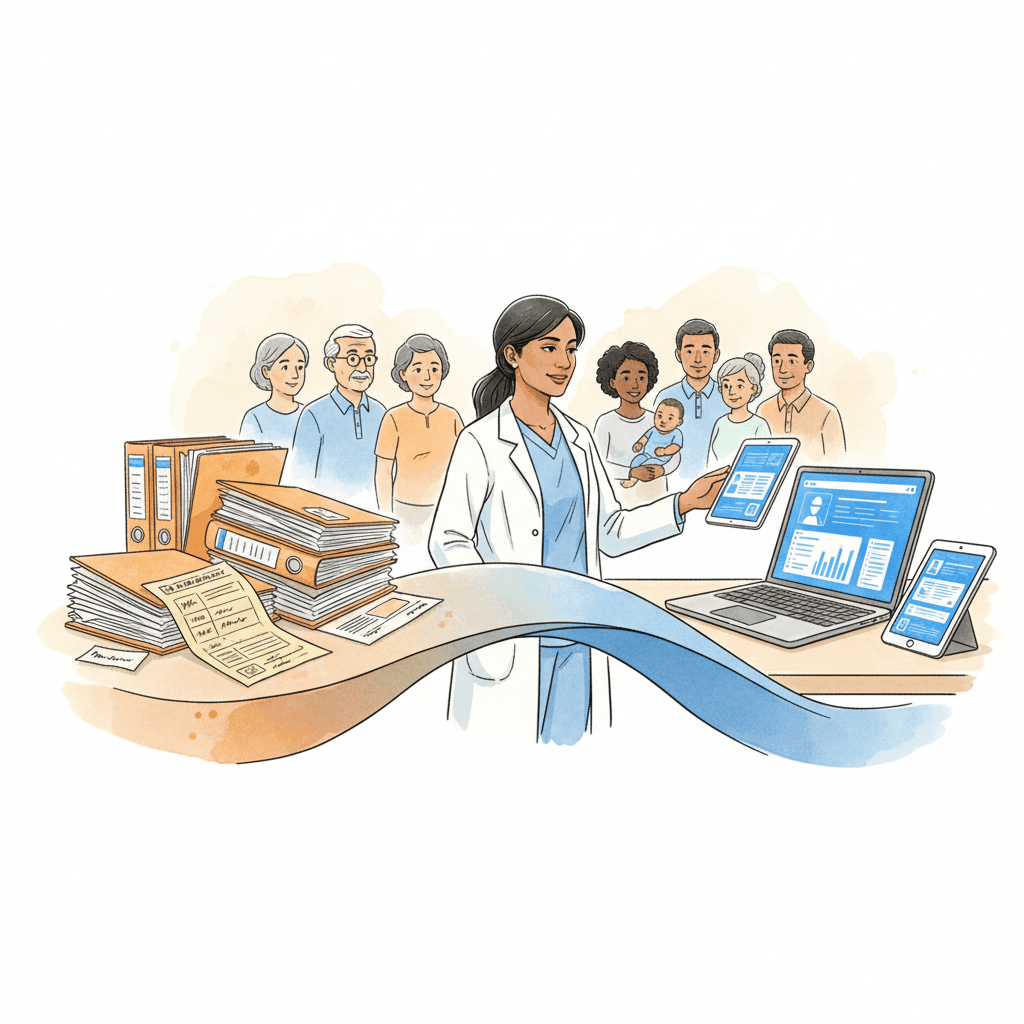
The question for most residential care providers is no longer whether to move from paper to digital. Regulatory expectations, insurance requirements, interoperability demands, and workforce realities have made that decision for them. The question is how to make the transition without disrupting the care operations that residents depend on every day.
Digital migration in a care setting is fundamentally different from a technology upgrade in an office environment. There is no downtime window. Care does not pause while the IT team configures the new system. Residents still need medications at 8:00 AM. Incident reports still need to be filed when events occur. Care plans still need to be updated when conditions change. The migration must happen while the operation continues — and the consequences of getting it wrong are not lost productivity or frustrated employees, but compromised care quality and regulatory violations.
This article provides a practical roadmap for residential care providers — administrators, operations leaders, and IT directors — who are ready to move from paper to digital but need a structured approach that minimizes risk, maintains compliance throughout the transition, and gives staff the support they need to succeed with new tools. It covers the full migration lifecycle: from initial assessment through data preparation, parallel running, cutover, and the critical first 90 days of digital-only operations. It addresses what to migrate and what to leave behind, how to handle the human side of change, and what to look for when selecting the technology that will carry your organization forward.
Why Now? The Tipping Point for Digital Migration
Residential care providers that have operated successfully on paper for decades are legitimately asking why they should change now. The answer is not that paper documentation is inherently unsafe or that digital systems are inherently better. The answer is that the environment in which care providers operate has changed in ways that make paper-based processes increasingly untenable. Five converging forces are creating a tipping point.
Regulatory Pressure Is Escalating
Across every major regulatory jurisdiction, the expectations placed on residential care documentation are becoming more granular, more frequent, and more demanding of accessibility. In the United States, CMS survey processes increasingly evaluate not just whether documentation exists, but whether it is organized, retrievable, and internally consistent. State licensing agencies are requiring more structured incident reporting, with defined fields and classification systems that are difficult to maintain consistently on paper forms. Many states now require electronic submission of certain reports — abuse and neglect notifications, significant incident reports, and quality metrics — which means that even paper-based facilities are already performing partial data entry into digital systems.
In England, CQC's single assessment framework evaluates providers on their ability to produce evidence of systematic quality management. Paper records scattered across binders, filing cabinets, and individual staff notebooks do not demonstrate systematic management — they demonstrate documentation, which is a different thing. In Australia, the Aged Care Quality Standards require providers to demonstrate continuous improvement, which requires trend data that is nearly impossible to compile from paper records without significant manual effort. Provincial regulators across Canada are moving toward standardized electronic reporting formats. The regulatory trajectory is clear: paper is becoming harder to defend during surveys, and the overhead of maintaining paper systems while also meeting electronic reporting requirements is creating a double-documentation burden that consumes staff time without improving care.
Insurance and Liability Requirements Are Tightening
Liability insurers for residential care providers are increasingly asking about documentation systems during underwriting reviews. Providers with digital documentation systems that include audit trails, timestamp verification, and structured data entry receive more favorable risk assessments than those relying on handwritten records that can be altered, lost, or rendered illegible. Some insurers are beginning to require electronic documentation as a condition of coverage renewal for certain facility types — particularly for providers with a history of documentation-related claims.
The litigation environment reinforces this pressure. When a care provider faces a negligence claim, the documentation record is the primary evidence of what care was delivered and when. Paper records with gaps, illegible entries, or uncertain chronology are significantly less defensible than time-stamped electronic records with complete audit trails. Plaintiffs' attorneys have learned to exploit the weaknesses of paper documentation — and the cost of that vulnerability is measured in settlement amounts and verdict figures.
Staffing Challenges Demand Efficiency
The residential care workforce crisis has made every minute of staff time more valuable than it has ever been. Facilities operating with thin staffing margins cannot afford to have their care workers spend 45 minutes per shift on redundant documentation — copying information from one form to another, transcribing handwritten notes into spreadsheets for monthly reports, or searching through binders for a record that should be immediately accessible.
Digital systems do not eliminate documentation time, but well-designed ones reduce it substantially by eliminating redundancy. When a direct support professional documents a wellness check in a digital system, that data entry simultaneously updates the shift summary, populates the resident's daily log, and contributes to the monthly quality metrics. On paper, the same information might need to be written three times — once on the shift form, once on the resident chart, and once on the communication log.
For organizations competing for a limited pool of care workers, the efficiency of their documentation system is not a back-office concern — it is a recruitment and retention issue. Staff who spend less time on paperwork spend more time on care, experience less administrative frustration, and are more likely to stay.
Pandemic Lessons Remain Relevant
The pandemic exposed a critical vulnerability in paper-based care operations: paper does not travel well. When administrative staff, regional directors, and clinical consultants could not enter facilities, organizations that relied on physical documents for oversight were effectively operating blind. Paper incident reports sat in binders that no one outside the facility could access. Care plans existed only as physical documents that could not be reviewed remotely. Quality monitoring that depended on on-site binder reviews simply stopped.
Organizations with digital documentation systems adapted far more quickly. Clinical directors could review care plans from home. Regional managers could monitor incident reports in real time. Quality data flowed to leadership dashboards regardless of whether anyone was physically present at the facility. The lesson is not that another pandemic is imminent — it is that operational resilience requires information systems that are accessible beyond the physical boundaries of the building where the data originates.
Interoperability Is Becoming a Requirement
Residential care providers do not operate in isolation. They coordinate with hospitals, pharmacies, physician practices, therapy providers, laboratories, and state reporting systems. Each of these external parties is increasingly digital, and their ability to exchange information with a care provider depends on that provider having a digital system capable of receiving and sending structured data.
When a hospital sends an electronic discharge summary, a paper-based care facility must print it, file it, and manually transcribe relevant information into the resident's chart. When a pharmacy updates a medication list, the paper-based facility receives a fax that must be manually reconciled with the MAR. When a physician orders a lab test, the results arrive electronically and must be printed and physically filed. Each of these translation steps — from digital to paper and sometimes back to digital — introduces delay, increases the probability of transcription errors, and consumes staff time.
As health information exchanges expand and as regulatory bodies begin requiring electronic data exchange between care settings, the interoperability disadvantage of paper systems will become a compliance issue, not merely an efficiency issue.
The 5-Phase Migration Roadmap
Successful digital migration is not a switch that gets flipped on a Friday afternoon. It is a structured, phased process that typically spans three to six months for a single facility and six to twelve months for a multi-site organization. The following five-phase roadmap provides the structure that keeps the migration on track and the care operation running safely throughout.
Phase 1: Assessment and Planning (Weeks 1 through 4)
The migration begins not with software installation but with a thorough understanding of what exists today and what the organization needs from a digital system. This phase produces the migration plan — the document that every subsequent phase executes against.
Key activities. Conduct a complete inventory of every paper-based process in the facility. This includes not just the obvious systems — MARs, incident reports, care plans — but also the informal documentation that staff rely on daily: communication notebooks, refrigerator temperature logs, maintenance request slips, visitor sign-in sheets, staff assignment boards, and the sticky notes on the medication cart that serve as unofficial reminders. Every piece of paper that carries operational information needs to be catalogued.
For each paper process, document four things: what information it captures, who creates and uses it, how often it occurs, and what regulatory requirement (if any) it satisfies. This inventory will reveal processes you did not know existed and dependencies between documents that are not obvious until you trace the information flow.
Simultaneously, assess the facility's technical readiness. What is the current state of the wireless network? Can it support multiple concurrent users on tablets or laptops at all hours? What devices are available, and what needs to be purchased? Is there reliable internet connectivity, or does the facility experience outages that would disrupt access to a cloud-based system? What is the current level of digital literacy among staff?
Timeline. Four weeks for a single facility. For multi-site organizations, allow two additional weeks for cross-site comparison and enterprise-level planning.
Success criteria. A complete process inventory with regulatory mapping. A technical readiness assessment with a remediation plan for any gaps. A prioritized list of processes to migrate, sequenced by regulatory importance and operational frequency. An approved project timeline and budget. A designated project lead and a migration team with representatives from every shift and role.
Phase 2: Data Preparation (Weeks 5 through 8)
This is the phase most organizations underestimate and the one that, when shortchanged, causes the most problems downstream. Data preparation is the work of converting paper-based information into a format that can be entered into the digital system — and making the difficult decisions about what gets migrated, what gets archived, and what gets left behind.
Key activities. Begin with active resident records. For each current resident, compile the information that will populate their digital profile: demographics, diagnoses, allergies, medications, care plans, advance directives, emergency contacts, and any active treatment or behavioral support plans. This information exists across multiple paper sources — admission packets, physician order binders, MAR books, care plan folders, and sometimes in the memories of long-tenured staff who know that Mrs. Patterson is allergic to latex even though it is not written in her chart.
Create standardized data entry templates that map paper fields to digital system fields. Identify fields where the paper record has inconsistencies — the allergy list in the MAR does not match the allergy list in the care plan, for example — and resolve these discrepancies before entering data into the new system. Do not migrate errors. This is the opportunity to clean data that has accumulated inaccuracies over years of paper documentation.
Establish a data validation process. Every resident record entered into the digital system should be reviewed by a clinical staff member who knows the resident. This is not a data entry exercise — it is a clinical verification exercise that ensures the digital record accurately represents the resident's current care needs.
Timeline. Four weeks, though facilities with large resident populations or complex care plans may need six.
Success criteria. All active resident records compiled, cleaned, and validated. Data entry templates completed and tested. Staff trained on data entry procedures. A defined cutoff date established — after which new information will be entered into the digital system while older records remain in the paper archive.
Phase 3: Parallel Running (Weeks 9 through 12)
This is the most operationally demanding phase, and the one that protects the organization from the risks of a premature cutover. During parallel running, staff document in both the paper system and the digital system simultaneously. Yes, this doubles the documentation workload temporarily. That is the point. Parallel running is an insurance policy.
Key activities. Staff continue to complete all paper documentation exactly as they have been doing. Simultaneously, they enter the same information into the digital system. At the end of each shift — and at the end of each week — the migration team compares the paper and digital records to identify discrepancies. Where the digital entry is missing information that appears on the paper form, the team investigates: Was it a training gap? A system navigation issue? A workflow design problem?
Parallel running serves three purposes. First, it validates the digital system — confirming that every piece of information the paper system captures has a corresponding place in the digital system and that no critical data is falling through the cracks. Second, it builds staff competence — giving people time to learn the new system while the safety net of paper remains in place. Third, it identifies workflow problems before they become compliance risks — if the digital system's medication documentation workflow takes twice as long as the paper MAR, that is a problem to solve now, not after cutover.
During this phase, the migration team should hold daily check-ins for the first week and twice-weekly check-ins thereafter. These are short, focused meetings — 15 minutes — where staff report what is working, what is confusing, and what is taking too long. Every piece of feedback is documented and addressed. Some issues will require system configuration changes. Others will require additional training. A few will require workflow redesign.
Timeline. Four weeks minimum. Organizations migrating complex care settings (memory care units, skilled nursing, IDD group homes with extensive behavioral documentation) should plan for six weeks.
Success criteria. Digital records match paper records with 98% accuracy or greater at the end of the parallel period. All staff can complete core documentation tasks (shift notes, incident reports, medication administration) in the digital system without assistance. Average documentation time in the digital system is within 20% of the paper system time. No regulatory-required documentation elements are missing from the digital workflow. The migration team has resolved all identified workflow issues.
Phase 4: Cutover (Week 13)
Cutover is the day the paper system stops being the system of record and the digital system takes over. It is a single week, not a single day — because the transition needs monitoring, and problems that emerge on Monday need to be resolved before they compound through the rest of the week.
Key activities. On the cutover date, paper forms are physically removed from the documentation stations. This is deliberate and important — if paper forms remain available, staff under pressure will revert to them. The forms are not discarded; they are collected and stored in a designated location accessible only to the migration team, in case an emergency requires reverting temporarily.
The migration team provides on-site support for the first three days of cutover. This means a team member is present at every shift change, available to answer questions, troubleshoot system issues, and help staff who are struggling. The migration team also runs end-of-shift reconciliation during the first week, reviewing every digital record to verify completeness and accuracy.
Establish a clear escalation path for technical issues. Staff need to know exactly who to call — and how quickly they can expect a response — if the system is slow, a feature does not work as expected, or they cannot figure out how to document a specific situation. Response time during the first week of cutover should be measured in minutes, not hours.
Timeline. One week of intensive support, followed by two weeks of tapering support.
Success criteria. All documentation is completed in the digital system for 100% of shifts during the cutover week. No documentation gaps identified during end-of-shift reconciliation. Technical issues are identified and resolved within the defined SLA. Staff confidence survey at the end of the first week shows improving comfort levels.
Phase 5: Optimization (Weeks 14 through 24)
The migration is not complete when the paper forms are removed. It is complete when the digital system is being used effectively — not just as a replacement for paper, but as a tool that delivers capabilities paper never could. Optimization is the phase where the organization begins to realize the return on its migration investment.
Key activities. Analyze system usage data to identify adoption gaps. Which staff members are logging in consistently? Which are not? Which documentation tasks are being completed on time, and which are chronically delayed? Where are workarounds emerging — staff writing notes on paper and entering them later, rather than documenting in real time?
Begin activating features that were intentionally held back during the initial migration to avoid overwhelming staff. Real-time dashboards for supervisors. Automated medication reminders. Incident trend reports. Care plan review alerts. These features should be introduced one at a time, with training, over the optimization period — not all at once.
Conduct a formal post-migration review at the 90-day mark. Compare documentation completion rates, incident reporting timeliness, and staff satisfaction against the pre-migration baseline. Identify what improved, what stayed the same, and what got worse. Use this data to guide further optimization and to build the business case for expanding the migration to additional processes or facilities.
Timeline. Ten weeks of structured optimization, with ongoing continuous improvement thereafter.
Success criteria. Documentation completion rates meet or exceed pre-migration levels. Staff satisfaction with the documentation system is higher than pre-migration baseline. At least three advanced features are activated and being used consistently. The organization can produce reports and analytics that were not possible with the paper system. Zero regulatory documentation deficiencies attributable to the digital system.
What to Migrate (And What to Leave Behind)
One of the most consequential decisions in any digital migration is determining the boundary between what gets entered into the new system and what remains in the paper archive. The instinct to "migrate everything" is understandable but misguided. Attempting to digitize years of historical paper records consumes enormous staff time, introduces data quality risks, and delivers minimal operational value.
Active Records: Must Migrate
Active records are documents that are currently in use for the care and management of current residents. These must be in the digital system from go-live to ensure that staff can access the information they need in the format they will be working with going forward.
Current care plans. Every active resident's care plan — including clinical assessments, behavioral support plans, dietary plans, and activity plans — must be entered into the digital system. These are the foundational documents that guide daily care delivery. If a care worker needs to reference a resident's behavioral triggers or dietary restrictions and the information exists only in a paper binder in the office, the digital system has already failed its most basic purpose.
Active medication records. Current medication lists, physician orders, and medication administration schedules for all active residents are essential migration items. The medication administration record is the single most frequently accessed document in a care facility, and it is the one where errors carry the most immediate clinical consequence. Migrating the MAR to digital is non-negotiable for any facility that is serious about the transition.
Recent incident history. Incident reports from the past 90 to 180 days for current residents should be migrated. This provides the care team with recent context in the digital system and enables trend analysis from the earliest days of digital operation. Going further back than 180 days provides diminishing returns for most facilities.
Regulatory and compliance documents. Active licensing documents, current staff credentials and training records, and any open corrective action plans should be migrated. These are the documents that a surveyor may request, and having them in the digital system demonstrates the organizational commitment to the transition.
Historical Archives: Index but Do Not Digitize
For records that are no longer active but must be retained to meet regulatory requirements, the right strategy is physical archiving with a digital index — not full digitization.
Every regulatory jurisdiction has retention requirements for care records. In the United States, retention periods vary by state but commonly range from five to seven years after discharge or death, with longer periods for minors. In the United Kingdom, care records must typically be retained for eight years after the last entry. In Australia, retention periods range from seven to thirty years depending on the record type and the age of the resident at the time of service.
For these records, create a digital index that allows staff to locate a specific paper record when needed. The index should include the resident's name and identifier, the date range covered, the type of records (medical, financial, incident reports), the physical storage location (building, room, shelf, box number), and the destruction date based on the applicable retention schedule. This approach satisfies the regulatory requirement for record retention and accessibility without the massive expense of digitizing thousands of pages of historical documentation that will be accessed rarely, if ever.
Data Cleaning: The Migration Opportunity
Digital migration presents a rare and valuable opportunity to clean up data quality issues that have accumulated over years of paper documentation. This is not optional — it is essential. Migrating dirty data into a clean system produces a dirty digital system, which undermines the entire purpose of the transition.
Common data quality issues to resolve during migration include inconsistent spelling of diagnoses and medications across different paper forms. Allergy lists that differ between the MAR, the care plan, and the physician order sheet for the same resident. Emergency contact information that is outdated or incomplete. Physician information that reflects a provider who left the practice years ago. Care plan goals that were achieved or abandoned but never formally closed.
Assign a clinical staff member — typically a nurse or care coordinator — to validate every migrated resident record against the current clinical reality. This is not a clerical task that can be delegated to data entry staff. It requires clinical judgment to determine which of three conflicting allergy lists is correct, whether a diagnosis that appears in one document but not another is still active, and whether a care plan intervention that was written eighteen months ago is still being implemented.
The Archive Strategy
Paper records that are not migrated into the digital system do not disappear. They need a formal archive strategy that addresses physical storage, retrieval procedures, retention schedules, and destruction protocols.
Designate a specific physical location for archived paper records. This should be a secure, climate-controlled space — not a damp basement or an unlocked storage closet. Organize archives by year and by resident, with each box clearly labeled and corresponding to an entry in the digital archive index. Define a retrieval procedure: who is authorized to request archived records, how requests are submitted, and what the expected retrieval time is. For most facilities, a 24-hour retrieval commitment for archived records is reasonable and defensible.
Establish a destruction schedule aligned with regulatory retention requirements. When records reach the end of their required retention period, destroy them using a HIPAA-compliant (or equivalent) destruction method — shredding for paper, not simple recycling. Document every destruction event: what was destroyed, the date, the authorization, and the method.
The Human Side of Digital Migration
Technology migrations fail for human reasons far more often than technical ones. The software can be perfectly configured, the data can be immaculately cleaned, and the network can perform flawlessly — and the migration still fails if the people who must use the system every day resist it, misuse it, or quietly work around it. Understanding and addressing the human side of digital migration is not a soft skill supplement to the technical plan. It is the difference between a successful transition and an expensive digital system that staff ignore in favor of paper notebooks hidden in their pockets.
Why Staff Resist
Staff resistance to digital migration in care settings is not irrational. It is a predictable response to real concerns that leaders must understand and address honestly rather than dismiss or overpower.
Competence anxiety. Many frontline care workers — particularly those who have been in the field for ten or twenty years — are deeply skilled at their jobs and confident in their abilities. Asking them to learn a new documentation system threatens that sense of competence. A medication aide who can complete a paper MAR in four minutes without thinking is suddenly fumbling with a tablet, making mistakes, and feeling slow. That is not a comfortable experience for anyone, and it is especially uncomfortable for professionals who take pride in their expertise. This anxiety is often mislabeled as resistance to change. It is actually resistance to feeling incompetent.
Legitimate workflow concerns. Staff who have worked with paper systems for years understand their strengths — and they are right that paper has some. Paper does not crash. Paper does not need a password. Paper does not lose a page of documentation because someone hit the wrong button. Paper works when the internet is down. When staff raise these concerns, they are not being difficult. They are identifying real risks that the migration plan must address.
Fear of surveillance. Digital systems create audit trails. Every entry is time-stamped. Every edit is tracked. For staff who are accustomed to the relative anonymity of paper documentation — where no one knows exactly what time a shift note was written — the transparency of digital systems can feel like surveillance. Leaders must be transparent about what the system tracks, why it tracks it, and how that information will and will not be used.
Change fatigue. Care workers in residential settings have endured years of policy changes, regulatory updates, new forms, revised procedures, and organizational restructuring. For many, a digital migration is just the latest in a long series of mandated changes, each of which was promised to "make things easier" and few of which delivered on that promise. This skepticism is earned, and it can only be addressed by demonstrating — not promising — that the digital system genuinely improves their daily experience.
Generational Considerations
The residential care workforce spans a wide age range, and digital literacy varies significantly across it. A 24-year-old DSP who has used smartphones since childhood will approach a tablet-based documentation system very differently than a 58-year-old nurse who has documented on paper for her entire career. Both need training, but they need different kinds of training.
Younger staff often need less instruction on how to use the device and more instruction on the clinical documentation standards that the device enforces. They may be comfortable with the technology but unfamiliar with the documentation discipline — why specific fields matter, what regulatory requirements each form satisfies, and how their entries contribute to the clinical record.
Older staff often need more time with the technology itself — how to navigate the interface, how to recover from mistakes, how to troubleshoot basic issues like a frozen screen or a lost connection — but bring deep knowledge of what information matters clinically and why. Their documentation instincts are sound; it is the tool that is new.
Training that treats all staff the same will fail both groups. Design training tracks that meet people where they are, not where you assume they should be.
Training That Works
Effective migration training in a care setting has five characteristics that distinguish it from the generic software training that most vendors offer.
It is role-specific. A medication aide needs to learn the digital MAR workflow in detail. A shift supervisor needs to learn how to review and approve documentation, generate shift reports, and manage alerts. A house manager needs to learn how to pull compliance reports and monitor documentation completeness across staff. Training every role on every feature wastes time and overwhelms learners. Train each role on the workflows they will actually perform.
It is hands-on. Classroom presentations about the system are ineffective for a workforce that learns by doing. Every training session should involve the trainee performing actual tasks in the system — entering a shift note, documenting a medication pass, filing an incident report — using realistic scenarios based on the facility's actual resident population. Watching a demonstration is not the same as doing it yourself while a trainer watches.
It happens on-site, during work hours. Asking care workers to attend training sessions on their day off, or before or after a 12-hour shift, signals that the organization does not take their time seriously. Training should be integrated into the work schedule, even if that means scheduling additional staff coverage during training periods.
It continues after go-live. A single training session before cutover is insufficient. Plan for refresher training at two weeks, four weeks, and eight weeks post-cutover. Each refresher addresses the issues that have actually emerged — not a repeat of the initial training, but targeted instruction on the specific tasks and workflows where staff are struggling.
It includes a help resource that is always available. During the first 90 days, staff need to be able to get help within minutes, not hours. This can be a dedicated support phone number, a super-user on every shift, or a readily accessible quick-reference guide — ideally all three.
The Champions Program
The single most effective strategy for driving staff adoption is identifying and empowering digital champions — frontline staff members who are early adopters, who learn the system quickly, and who are trusted by their peers. Champions are not managers or supervisors (though those roles need their own training). They are DSPs, medication aides, and CNAs who carry credibility with their colleagues because they do the same work.
Select two to three champions per facility (or per shift, in larger facilities). Involve them in the migration process early — during the data preparation phase, if possible — so they develop deep familiarity with the system before their peers begin training. Give them a formal role: they are the first point of contact for questions on their shift, they participate in migration team meetings, and they provide feedback that shapes the training approach.
Champions succeed because they solve the credibility problem. When a manager says "this system is easy to use," staff are skeptical. When a peer who works the same shift, documents the same residents, and handles the same challenges says "I figured this out, and here is how I do it," the message lands differently.
Celebrating Wins
Migration is a sustained effort, and sustained efforts require visible progress markers to maintain momentum. Celebrate early wins explicitly and publicly. When the first facility completes a full week of digital-only documentation with no gaps, acknowledge it in the staff meeting. When a staff member who was anxious about the transition masters the incident reporting workflow, recognize them. When the first monthly compliance report is generated entirely from the digital system — and it looks better than the manually compiled version ever did — share it with the entire organization.
These celebrations are not motivational fluff. They are evidence that the migration is working, and evidence is what converts skeptics into adopters.
Technology Selection for Migration
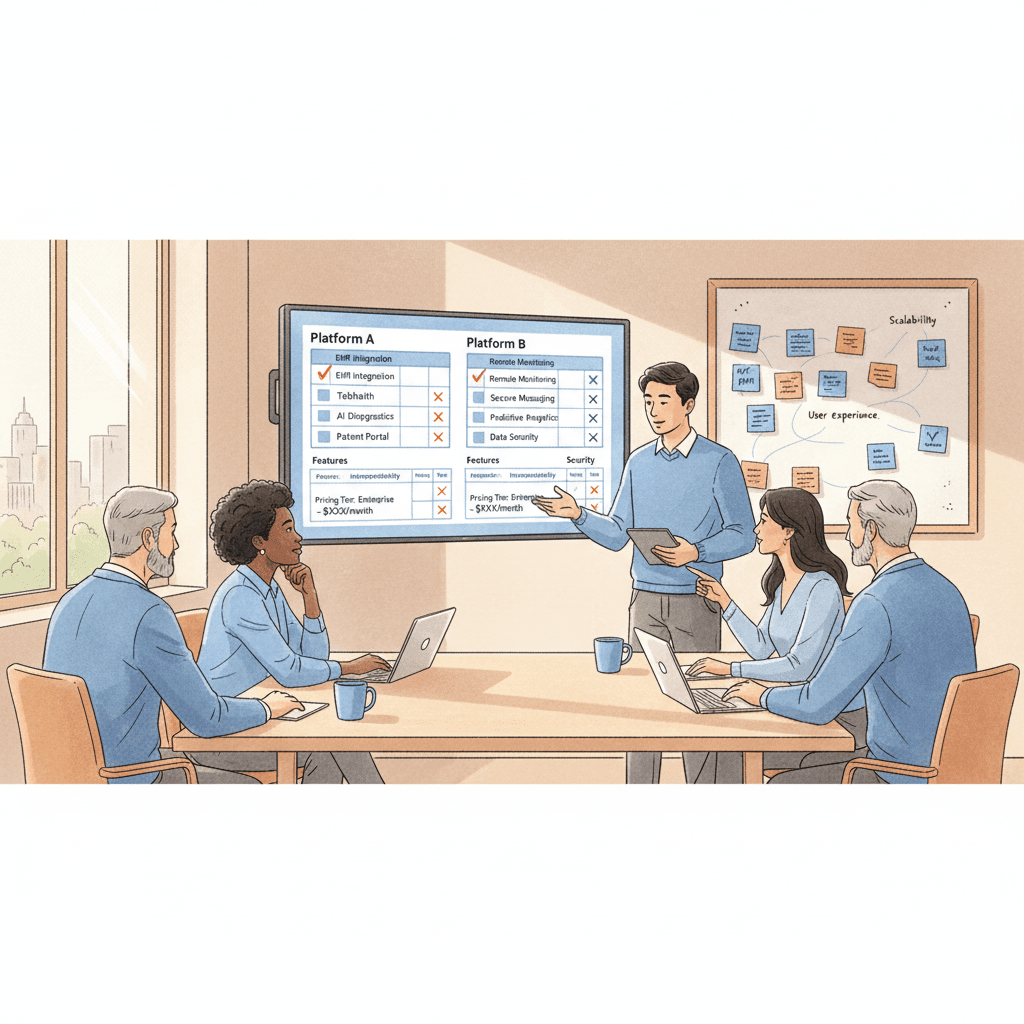
Choosing the right technology platform is critical, but it is a decision that should come after the planning, assessment, and process design work — not before. Too many care organizations begin their digital migration by selecting software and then attempting to fit their processes into the system's constraints. The result is a platform that does not align with how the organization actually operates.
Data Import Capabilities
The platform must support structured data import for the initial migration. This means the ability to bulk-upload resident records, medication lists, care plans, and staff profiles from formatted spreadsheets or CSV files — not manual entry of every record one at a time through the user interface. Ask every vendor this question directly: "How do we get our existing data into your system?" If the answer involves months of manual data entry, the migration timeline and cost will be significantly higher than projected.
Beyond the initial import, evaluate whether the platform can receive data from external sources on an ongoing basis — pharmacy feeds, laboratory results, hospital discharge summaries. The value of a digital system increases dramatically when it can accept information from the care ecosystem electronically rather than requiring staff to manually enter data that arrives from other digital systems.
Offline Capability
This is a non-negotiable requirement for any care facility, and it is especially critical during the transition period when staff confidence in the digital system is still fragile. If the internet goes down — or if the Wi-Fi coverage in one wing of the building is unreliable — staff must be able to continue documenting without interruption. A system that displays a "no connection" error when a medication aide is trying to document an administered dose will instantly validate every concern that skeptical staff have about digital documentation.
The platform should allow full documentation in offline mode, with automatic synchronization when connectivity is restored. During the parallel running phase, offline capability is what prevents the digital system from becoming a bottleneck that forces staff back to paper as the primary system.
Mobile-Friendly Interfaces
Frontline care workers in residential settings are mobile. They move between resident rooms, common areas, medication carts, and nursing stations throughout their shift. A documentation system that requires staff to return to a fixed workstation to enter notes is not meaningfully better than paper — it may actually be worse, because at least a paper form can travel with the staff member.
The platform should be fully functional on tablets and smartphones, with an interface designed for touch interaction rather than simply a shrunken version of a desktop application. The core documentation workflows — shift notes, medication administration, incident reporting — should be completable in three to five taps from the home screen. Staff who must navigate six menus to start a shift note will not use the system voluntarily.
Gradual Feature Rollout
A platform that forces the organization to activate every feature on day one is a platform designed for demonstration, not implementation. The best migration platforms support staged feature activation — the ability to start with core documentation workflows (shift notes, incident reports, medication administration) and add features progressively as staff become comfortable.
During the first month of digital operations, staff should encounter only the workflows they were trained on during the parallel running phase. Dashboards, analytics, automated alerts, care plan review workflows, and family communication portals can be activated in subsequent months. Each new feature should be accompanied by targeted training and a defined adoption period before the next feature is introduced.
Integration and Interoperability
Evaluate how the platform connects with the systems the organization already uses or will need to use. Pharmacy interfaces for electronic medication order receipt. Laboratory interfaces for test results. Electronic health record interoperability with hospitals and physician practices. State reporting system compatibility for required electronic submissions. Payroll and scheduling system integration to reduce manual data reconciliation.
A platform that operates as an isolated silo — capturing information but unable to share it with other systems — will become a source of frustration as the organization's digital maturity increases.
Case Scenario: Pinewood Residential Services
Pinewood Residential Services operates six group homes for adults with intellectual and developmental disabilities across a metropolitan area, serving a total of 42 residents. The organization has operated on paper since its founding eighteen years ago. Every home uses a different variation of the same documentation forms, customized over the years by successive house managers. The executive director, Maria Chen, has known for several years that the organization needs to go digital, but the prospect of disrupting six functioning homes kept the project on the "next year" list until a state survey citation for disorganized medication records made it this year's priority.
The Plan
Maria assembled a migration team: herself, the clinical director, one house manager selected for her strong organizational skills, and one experienced DSP known as the most tech-savvy member of the frontline staff. They followed a modified version of the five-phase roadmap, compressed into four months to meet a deadline established by the organization's board.
Phase 1 consumed three weeks. The team audited documentation practices at all six homes and discovered that despite using similar forms, no two homes documented behavioral incidents the same way. One home used a three-level severity scale. Two used a five-level scale. Three had no defined scale at all. The team designed a single, standardized set of digital workflows that every home would use.
Phase 2 took four weeks. A team of three administrative staff and the clinical director compiled active resident records, cleaned data discrepancies, and entered the information into the new system. They found fourteen instances where residents' allergy information differed between the MAR and the care plan. Each one was resolved with a physician consultation.
Phase 3 — parallel running — began at two pilot homes before rolling out to the remaining four.
What Went Wrong in Week 3
The first two weeks of parallel running at the pilot homes went smoothly. Staff grumbled about the extra documentation time but complied. The digital records matched the paper records with 96% accuracy, and the identified gaps were all attributable to navigation confusion that was resolved through additional training.
In week 3, the organization's internet service provider experienced an outage that lasted six hours. The digital system's offline mode functioned as designed — staff could continue documenting on their tablets. But when connectivity was restored, the synchronization process created duplicate entries for three residents' medication records. The medication aide at one home, seeing what appeared to be a double dose recorded, panicked and called the house manager. The house manager called Maria. By the time the technical issue was identified and resolved, staff confidence had taken a significant hit. Two DSPs at the affected home openly stated that they wanted to go back to paper.
How They Recovered
Maria and the clinical director visited the affected home the next morning. They did not minimize the incident or blame the staff for overreacting. They acknowledged that the system error was real, explained exactly what happened technically, demonstrated the fix, and showed staff how to recognize and report similar issues in the future. They also created a new protocol: during any internet outage longer than 30 minutes, the shift supervisor would print a backup paper MAR and maintain it alongside the digital record until the outage was resolved and synchronization was confirmed.
The duplicate entry incident, while disruptive, actually accelerated adoption at the other four homes — because when those homes began parallel running the following week, the migration team was able to proactively address the offline scenario, explain the backup protocol, and use the Pinewood example to show that problems would be handled transparently and quickly.
The Result
Pinewood completed its cutover across all six homes over a two-week rolling deployment, 16 weeks after the project began. By the 90-day post-cutover mark, documentation completion rates were 97% — higher than the paper baseline of 89%. Incident reports that previously took an average of 4.2 hours to reach the executive director now arrived in real time. The state surveyor who returned for a follow-up visit noted the improvement in documentation organization and accessibility, and the original citation was resolved.
Post-Migration: The First 90 Days
The removal of paper forms from the documentation stations is not the finish line. It is the beginning of a critical 90-day period that determines whether the digital migration becomes a permanent operational improvement or a costly experiment that slowly reverts to paper workarounds. What leadership does in the first 90 days matters more than what happened during the migration itself.
What to Expect
Expect a productivity dip in the first two weeks. Documentation will take longer than it did on paper, because staff are still building fluency with the new system. This is normal and temporary. If leadership reacts to the dip by adding paper backup options "just until people get comfortable," the paper will become permanent. Hold the line. Provide support, not escape routes.
Expect questions. Lots of them. Staff will encounter scenarios that were not covered in training — a documentation situation that does not fit neatly into the system's workflow, a resident with an unusual care plan structure, an incident that spans two shifts and two staff members. These questions are not failures. They are the system being tested against the complexity of real care delivery. Capture every question, answer it promptly, and use the patterns to update the training materials and the system configuration.
Expect workarounds. Some staff will keep personal notebooks. Some will write notes on paper and enter them into the system later, rather than documenting in real time. These workarounds are not immediately harmful, but they represent adoption gaps that will widen if not addressed. Monitor for them without punishing them. Understand why the workaround exists — is it a training gap, a system design issue, or a personal preference? — and address the root cause.
Monitoring Adoption
Track system usage data weekly during the first 90 days. The metrics that matter most are login frequency by staff member, documentation timeliness (how quickly after an event the digital entry is created), documentation completeness (are all required fields being populated, or are staff skipping optional-but-important fields), and error rates (entries that are corrected or deleted after initial submission).
Share these metrics with house managers and shift supervisors. Do not use them as a surveillance tool. Use them as a management tool — a way to identify which staff need additional support and which workflows need refinement. A house manager who sees that evening shift documentation is consistently delayed by two hours can investigate and intervene before a pattern becomes a habit.
Measuring ROI
By the 90-day mark, the organization should be able to measure concrete outcomes against the pre-migration baseline. Documentation completion rate — the percentage of required documentation entries that are completed within the defined timeframe — is the most direct measure of system adoption. Incident report timeliness — the time between an incident occurring and the report being available to leadership — measures one of the most significant operational benefits of digital documentation. Staff overtime related to documentation — hours spent on paperwork outside of scheduled shifts — measures the efficiency gain. Survey readiness — the ability to produce requested records within the timeframe expected by a surveyor — measures the compliance benefit.
These measurements are not aspirational metrics for a future state. They are data points that justify the investment, guide ongoing optimization, and build organizational confidence that the migration was the right decision.
Conclusion
The migration from paper to digital in residential care is one of the most consequential operational decisions a care provider will make in this decade. It touches every role, every shift, every resident, and every regulatory interaction. Done well, it transforms not just how an organization documents care, but how it delivers, monitors, and improves care. Done poorly, it creates expensive digital systems that staff resent and work around, producing worse outcomes than the paper processes they were meant to replace.
The difference between success and failure is not the technology. It is the approach. Organizations that succeed follow a phased roadmap that respects the complexity of care operations. They invest in data preparation before system go-live, recognizing that migrating dirty data produces a dirty digital system. They run parallel systems long enough to validate the digital workflows and build staff competence. They treat cutover as a supported transition, not a switch flip. And they commit to a structured optimization period that turns a functional system into an effective one.
Most importantly, organizations that succeed understand that digital migration is a human challenge at least as much as a technical one. They acknowledge staff concerns as legitimate. They train people in ways that build confidence rather than anxiety. They identify and empower champions who carry credibility with their peers. They celebrate progress. And they hold the line during the difficult first weeks when every frustrated staff member's instinct is to reach for the familiar comfort of a paper form.
The paper binder in the medication room served the industry for a long time. It is not serving it any longer. The regulatory environment, the workforce reality, the interoperability demands, and the operational expectations of modern care delivery have moved beyond what paper can support. The question is not whether to make the transition. The question is whether to make it with a plan — phased, validated, supported, and sustained — or to stumble into it and hope for the best. The facilities and organizations that plan the transition deliberately are the ones that emerge stronger on the other side.
FAQ
How long does a typical paper-to-digital migration take for a single care facility?
For a single facility with 30 to 60 residents, a well-planned migration typically takes 16 to 24 weeks from initial assessment through the end of the optimization phase. The parallel running phase alone requires a minimum of four weeks, and the post-cutover optimization period should extend at least 10 weeks beyond the cutover date. Attempting to compress the timeline below 12 weeks introduces significant risk — particularly in the data preparation and parallel running phases, where shortcuts lead directly to data quality issues and staff confidence problems. Multi-site organizations should plan for a staggered rollout that adds four to six weeks per additional facility after the first site is migrated, since lessons learned at each site improve the process for subsequent sites.
What happens to our paper records after migration? Can we destroy them?
No — not immediately and not without a documented retention plan. Every regulatory jurisdiction has specific retention requirements for care records, and those requirements apply regardless of the format in which the records were originally created. In the United States, retention periods typically range from five to seven years after a resident's discharge or death, with some states requiring longer periods for certain record types. Paper records that have been migrated into a digital system should be retained in physical archives for the full retention period unless the organization has a validated process for confirming that the digital copy is a complete and accurate reproduction of the original — and even then, legal counsel should be consulted before destroying any original records. Create a digital archive index that tracks every box of paper records, its contents, its storage location, and its scheduled destruction date. When records reach the end of their retention period, destroy them using a compliant destruction method and document the destruction event.
How do we handle staff who refuse to use the digital system?
Start by distinguishing between refusal and struggle. Many staff members who appear to be resisting the digital system are actually experiencing competence anxiety — they are afraid of making mistakes, embarrassed by how slow they are compared to their paper documentation speed, or confused by the interface. These staff need additional one-on-one training, patience, and encouragement — not performance management. For staff who are genuinely refusing to use the system despite adequate training and support, the response must be clear and consistent: digital documentation is now the organizational standard, and using the approved system is a job requirement, not an option. Most organizations find that genuine refusal is rare — typically limited to one or two individuals per facility — and that it resolves when the staff member sees peers succeeding and receives the individualized support they need to build confidence. Progressive counseling should be a last resort, applied only after all reasonable training and support interventions have been exhausted.
What is the biggest risk during digital migration in a care setting?
The biggest risk is a premature cutover — removing paper systems before staff are competent with the digital system and before the digital workflows have been validated through parallel running. When a facility cuts over too early, documentation gaps appear immediately. Medication records are incomplete. Incident reports are missing required information. Care plans are not updated because staff cannot navigate the workflow under time pressure. These gaps create regulatory exposure and, more importantly, clinical risk. The parallel running phase exists specifically to prevent this scenario, and it should not be shortened to meet an arbitrary deadline. A migration that takes an extra month but achieves a clean cutover is vastly preferable to one that meets the original timeline but produces three months of documentation chaos.
How much does a digital migration cost for a residential care organization?
Cost varies significantly based on the size of the organization, the complexity of the care delivered, the digital platform selected, and whether the facility's technical infrastructure (Wi-Fi, devices, internet bandwidth) requires upgrading. For a single facility with 30 to 60 residents, direct costs typically range from $15,000 to $60,000, including software licensing or subscription fees for the first year, devices (tablets or laptops for documentation stations and mobile use), network infrastructure improvements if needed, data migration services or dedicated staff time for data preparation, and training costs including coverage for staff attending training sessions. Ongoing annual costs for the software platform typically range from $5,000 to $25,000 depending on the vendor and the feature set. Multi-site organizations benefit from economies of scale — the per-facility cost decreases after the first site because the platform subscription, data templates, and training materials are already in place. The more relevant question is the cost of not migrating: documentation-related survey citations, staff time consumed by manual processes, liability exposure from paper record deficiencies, and the inability to produce the operational analytics that modern care management requires.