
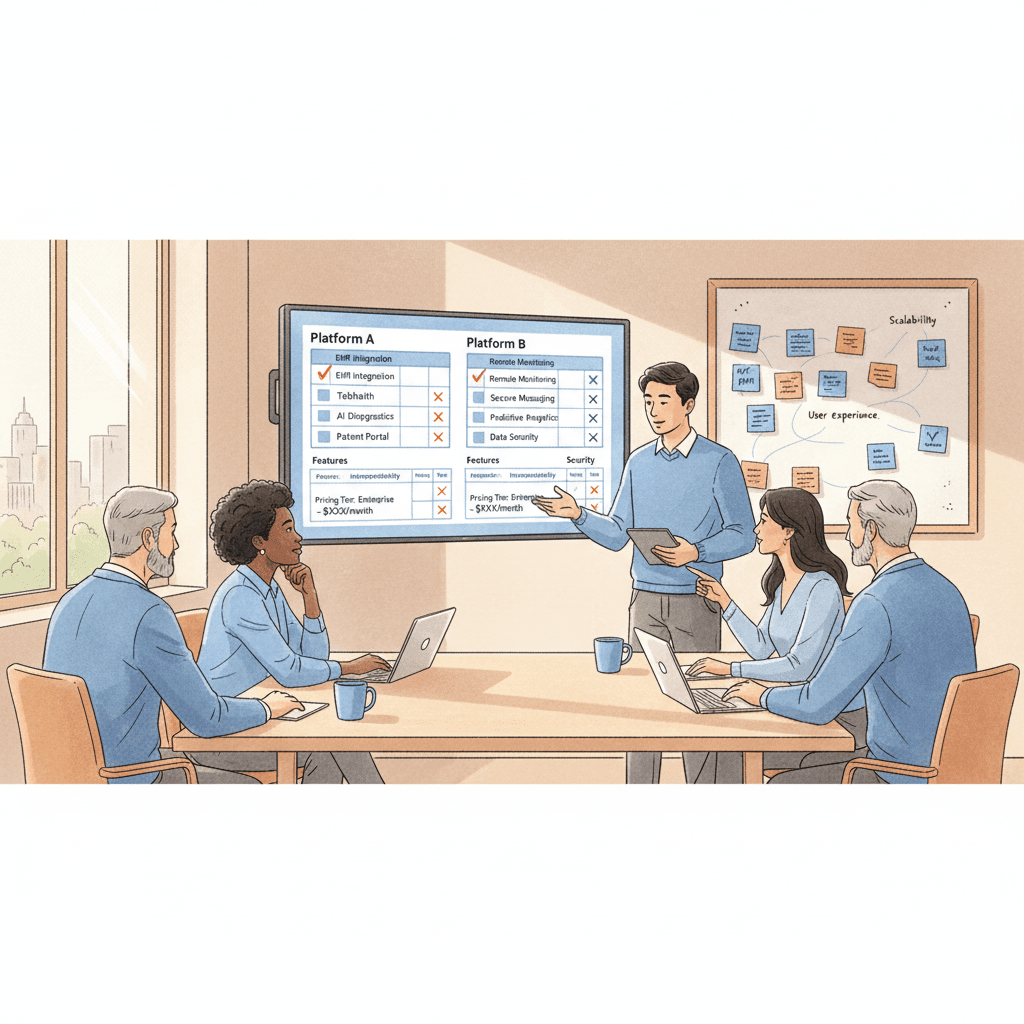
Key Takeaways
- The average care platform selection process takes 9 to 14 months from initial research to signed contract, and the wrong choice carries a compounding cost of 2 to 3 years of lost productivity, staff frustration, and delayed operational maturity.
- A structured evaluation framework with weighted scoring prevents the two most common selection mistakes: choosing the most impressive demo over the best operational fit, and allowing a single stakeholder's preference to override organizational requirements.
- Eight evaluation dimensions matter for residential care platforms: clinical workflow fit, multi-site scalability, compliance and audit readiness, integration capability, security and data governance, AI and automation governance, implementation and support model, and total cost of ownership.
- Requirements alignment before evaluation is more important than the evaluation itself — organizations that skip the internal alignment phase end up re-running the selection process within 18 months because the platform satisfied one department's needs while failing another's.
- Red flags during vendor evaluation are more diagnostic than green flags. A vendor that cannot provide a live demo with your data, cannot name reference customers in your care setting, or gives vague answers about security architecture is telling you something important about their product maturity.
- The demo is not the product. Evaluate based on workflow walkthroughs with your actual scenarios, not polished slide decks or marketing environments with synthetic data.
- Implementation planning should begin during the evaluation phase, not after the contract is signed — vendors who cannot articulate a concrete implementation timeline with milestones, resource requirements, and risk mitigation are not ready to deploy at your scale.
Introduction
Selecting a care operations platform is one of the most consequential decisions an operations leader will make. It is not a technology decision in the narrow sense — it is an organizational decision that will shape how clinical staff document care, how supervisors manage quality, how compliance teams prepare for audits, and how executives see what is happening across their portfolio. The platform you select becomes the operational backbone of your organization for the next five to seven years. When the choice is right, it accelerates everything: documentation quality improves, compliance gaps close faster, leadership gains visibility, and staff spend less time fighting systems and more time delivering care. When the choice is wrong, the consequences compound across every facility, every shift, and every regulatory interaction for years.
The stakes explain why the process takes so long. Industry data from healthcare IT advisory firms consistently places the average care platform selection timeline at 9 to 14 months from the point where an organization begins formal research to the point where a contract is signed. That timeline does not include implementation, which adds another 6 to 18 months depending on scope and organizational complexity. The total elapsed time from "we need a new platform" to "every site is live and staff are proficient" is frequently two years or more. This is not a process that tolerates a false start.
Yet false starts are common. A survey of multi-site care operators conducted by a leading healthcare advisory group found that roughly one in three organizations that completed a platform selection reported significant dissatisfaction within the first 18 months. The reasons were consistent: the platform did not match actual clinical workflows, the implementation was more difficult than projected, the total cost exceeded the initial estimate, or the platform's capability at single-site scale did not translate to multi-site operations. In each case, the root cause was not that the wrong platform existed on the market. It was that the evaluation process failed to surface the mismatch before the contract was signed.
This article provides a structured evaluation framework designed to prevent those failures. It is written for COOs, VPs of operations, directors of clinical services, and IT leaders at residential care organizations — group homes, assisted living, long-term care, and IDD service providers — who are actively evaluating or preparing to evaluate care operations platforms. The framework is vendor-neutral by design. It does not rank specific products. Instead, it gives you the dimensions, the scoring methodology, the red flags, and the demo checklist that allow you to make a rigorous, evidence-based decision aligned with your organization's specific requirements. Whether you are evaluating your first purpose-built care platform or replacing a system that has failed to deliver, this guide will help you get the selection right the first time.
Before You Evaluate: Define Your Requirements
The most expensive mistake in platform selection does not happen during vendor demos. It happens before the evaluation begins, when an organization launches into vendor research without first achieving internal alignment on what it actually needs. The result is predictable: different stakeholders evaluate the same product through different lenses, prioritize different capabilities, and reach different conclusions. The selection committee either deadlocks or defaults to the preference of the most senior person in the room — neither of which produces an optimal outcome.
Stakeholder Alignment
Before looking at a single vendor, assemble the stakeholders who will be affected by the decision and invest the time to align on requirements. This group should include representation from at least five perspectives:
Clinical operations — the people who will use the platform daily to document care, manage care plans, and coordinate clinical activities. They can tell you what workflows matter, where current systems create friction, and what a good clinical documentation experience looks like in practice.
Site and regional management — the people who oversee multiple homes or units and need cross-site visibility. They can articulate the reporting and oversight gaps that the current approach creates, and they understand the operational rhythms (shift changes, incident escalation, audit preparation) that the platform must support.
Compliance and quality — the people responsible for audit readiness, regulatory reporting, and quality improvement. They know exactly which documentation the organization must produce, which regulatory requirements are most difficult to maintain, and where the current compliance posture is weakest.
Information technology — the people responsible for integration, security, data governance, and technical infrastructure. They understand the existing technology landscape, the integration requirements, the security standards, and the infrastructure constraints that will shape what is technically feasible.
Frontline staff — direct support professionals, nurses, and care aides who will be the primary daily users. Their input is the most frequently omitted and the most critical. A platform that leadership loves but frontline staff cannot use efficiently will fail in adoption, and failed adoption means failed implementation regardless of the platform's capability.
Must-Have vs. Nice-to-Have
Once stakeholders are assembled, facilitate a structured exercise to separate requirements into three tiers:
Must-have requirements are capabilities without which the platform is disqualified. These are non-negotiable. Examples include: supports your specific state or provincial reporting formats, provides medication administration records with eMAR integration, offers offline functionality for homes without reliable internet, meets your organization's security and data residency requirements.
Important requirements are capabilities that significantly affect the platform's value but could be compensated for through workarounds or phased implementation. Examples include: real-time dashboards for regional directors, automated shift handoff summaries, integration with your current payroll system.
Nice-to-have requirements are capabilities that would add value but are not decision drivers. These are features you would welcome but would not choose one platform over another to obtain. Examples include: built-in family communication portal, advanced analytics with predictive modeling, mobile app with biometric authentication.
This tiering exercise is not a formality. It is the mechanism that prevents scope creep during evaluation and ensures that the scoring process reflects organizational priorities rather than individual preferences.
Current Pain Point Inventory
Document the specific operational pain points that are driving the platform search. Be concrete. "We need better technology" is not a pain point. "Our incident reports take 48 to 72 hours to reach regional leadership because they are documented on paper forms that must be manually entered into a spreadsheet by the house manager" is a pain point. "Staff spend an average of 90 minutes per shift on documentation that could be reduced to 30 minutes with structured templates and mobile data entry" is a pain point.
A thorough pain point inventory serves two purposes. First, it provides evaluation criteria rooted in your actual operational reality rather than abstract feature comparisons. Second, it gives you a baseline against which to measure post-implementation improvement — if you cannot articulate the current state, you cannot demonstrate that the new platform changed it.
Future State Vision
The requirements exercise should also articulate where the organization wants to be in three to five years. Are you planning to expand from 10 sites to 25? Are you entering new service lines (moving from IDD residential into assisted living, or adding day programs)? Are you anticipating regulatory changes that will require new documentation or reporting capabilities? Are you planning to bring services in-house that are currently outsourced (pharmacy management, therapy coordination)?
The platform you select must serve not only today's operation but the operation you are building toward. A platform that perfectly fits a 10-site organization but cannot scale to 25 sites without architectural limitations will become a constraint on growth rather than an enabler of it.
Requirements Template
Organize your documented requirements using a structure like the following:
| Requirement ID | Category | Description | Tier | Stakeholder Owner | Current Pain Point | Evaluation Criteria |
|---|---|---|---|---|---|---|
| REQ-001 | Clinical Workflow | Medication administration with eMAR and pharmacy integration | Must-Have | Clinical Ops | Manual paper MAR, no pharmacy interface, transcription errors | Live demo: complete a medication pass using our formulary data |
| REQ-002 | Compliance | Automated state incident reporting (within 24-hour submission window) | Must-Have | Compliance | Manual report generation takes 2-3 hours per incident, missed deadlines | Demonstrate end-to-end incident-to-state-report workflow |
| REQ-003 | Multi-Site Ops | Real-time dashboard showing incident, staffing, and documentation status across all sites | Important | Regional Mgmt | Weekly manual aggregation of site-level spreadsheets | Show cross-site dashboard with live or realistic data |
| REQ-004 | Integration | Bi-directional integration with ADP payroll | Important | IT / Finance | Manual export-import process, payroll errors from data re-entry | Demonstrate API or file-based integration with payroll system |
| REQ-005 | Usability | Mobile-first documentation interface usable on standard smartphones | Must-Have | Frontline Staff | Current system requires desktop, staff document at end of shift from memory | Usability walkthrough: DSP documents a shift note on a phone in under 2 minutes |
Build this template before contacting any vendor. It becomes the foundation for every subsequent step in the evaluation process.
The 8 Evaluation Dimensions
With requirements documented and stakeholders aligned, the evaluation itself can proceed with structure. The following eight dimensions represent the critical areas that determine whether a residential care platform will succeed or fail in your organization. Each dimension includes what to look for, questions to ask vendors, and red flags that should raise serious concern.
Dimension 1: Clinical Workflow Fit
This is the most important dimension and the one most frequently misjudged. A platform may have an impressive feature list, but if it does not match how residential care actually works — the rhythms of shifts, the documentation patterns of direct support professionals, the clinical oversight workflows of nurses and clinical directors — it will create friction rather than reduce it.
What to look for. The platform should reflect the reality that residential care documentation happens in motion. Staff are assisting residents, managing behavioral episodes, administering medications, and conducting wellness checks. They are not sitting at desktop computers in dedicated workstations. The documentation interface must be designed for mobile use, for intermittent connectivity, and for the cognitive load of someone who is simultaneously providing care. Look for structured data entry that guides staff through required fields without requiring free-text composition under time pressure. Look for workflow templates that match your specific care settings — an IDD group home has different documentation requirements than an assisted living memory care unit. Look for care plan integration that connects daily documentation to the resident's active care plan, so that documentation is clinically meaningful rather than merely administrative.
Questions to ask. Walk me through a complete shift cycle in your platform — from clock-in to documentation to handoff — for a direct support professional in a six-person group home. How does a nurse review and co-sign documentation? How does the platform handle a behavioral incident that requires immediate documentation, supervisor notification, and follow-up care plan modification? Show me how a medication pass works when one of six medications requires a PRN assessment and the pharmacy has sent a new order that changed a dosage mid-shift.
Red flags. The platform's workflow assumes an acute care or hospital model rather than a residential model. Documentation screens are designed for clinicians with medical terminology rather than DSPs. The demo shows desktop-only workflows with no mobile interface. The vendor cannot demonstrate a scenario specific to your care setting without significant customization promises.
Dimension 2: Multi-Site Scalability
A platform that works beautifully for a single facility may not work at all for an organization managing 15, 30, or 100 sites. Multi-site scalability is not simply a question of whether the software can technically handle more locations. It is a question of whether the platform's architecture supports the organizational structures, permission hierarchies, reporting aggregations, and operational workflows that multi-site care organizations require.
What to look for. Hierarchical organizational structure that mirrors your actual reporting lines — site, cluster, region, portfolio. Role-based access controls that allow a house manager to see their homes, a regional director to see their region, and an executive to see everything, without requiring separate logins or separate system instances. Centralized configuration management that allows you to push standardized templates, protocols, and compliance rules across all sites while permitting site-level adjustments where operationally necessary. Cross-site reporting that aggregates data in real time, not through manual export and consolidation. Multi-site benchmarking that allows you to compare incident rates, documentation completion, staffing adequacy, and compliance metrics across facilities.
Questions to ask. How does your platform handle organizational hierarchies? Can we configure multiple reporting levels? If we add five new sites, what is the provisioning process — is it self-service or does it require vendor involvement? How does cross-site reporting work — is it real-time aggregation or batch processing? Can we benchmark Site A against Site B using the same metrics? How do you handle sites that operate under different regulatory frameworks (e.g., sites in different states or provinces)?
Red flags. The vendor's largest customer operates fewer sites than you do. The demo shows only single-site views with no portfolio-level dashboards. Cross-site reporting requires data export to Excel. Adding a new site requires a professional services engagement. The platform uses separate databases or instances per site rather than a unified multi-tenant architecture.
Dimension 3: Compliance and Audit Readiness
In residential care, compliance is not a feature — it is a foundational requirement. The difference between a platform with built-in compliance and one with bolted-on compliance is the difference between an organization that is continuously audit-ready and one that scrambles to assemble documentation when a surveyor arrives.
What to look for. Automated audit trails that record every action — who documented what, when, and any modifications made after the fact. Regulatory reporting templates that match your specific jurisdiction's requirements, not generic templates that require manual adaptation. Compliance dashboards that show real-time status of required documentation, overdue assessments, expiring certifications, and pending incident reports. Alert systems that notify the right people when compliance deadlines approach rather than after they have passed. Version-controlled policies and procedures that can be pushed to all sites and tracked for staff acknowledgment.
Questions to ask. Show me the audit trail for a single resident's care documentation over a 30-day period. If a surveyor asks "show me all incident reports for this home in the last quarter, with documentation of follow-up actions and outcomes," how quickly can your platform produce that? Which state or provincial reporting formats do you support natively, and how quickly do you update when regulations change? How does your platform handle retrospective documentation — can staff add late entries, and if so, how are those entries distinguished from timely documentation in the audit record?
Red flags. The audit trail is limited to login/logout records rather than action-level tracking. Regulatory reporting templates are described as "customizable" rather than pre-built for specific jurisdictions. The vendor cannot demonstrate compliance workflows specific to your regulatory environment. Retrospective documentation is indistinguishable from timely documentation in the system's records.
Dimension 4: Integration Capability
No care operations platform exists in isolation. It must connect to the other systems your organization depends on: electronic health records, pharmacy management systems, payroll and scheduling platforms, billing and claims systems, and state or provincial reporting portals. The quality of these integrations determines whether the platform reduces manual work or merely relocates it.
What to look for. A published API with documentation that your IT team can evaluate. Pre-built integrations with the specific systems you use — not "we integrate with EHRs" in the abstract, but "we have a production integration with PointClickCare" or "we support HL7 FHIR-based data exchange with pharmacy systems including Omnicare and PharMerica." Real-time or near-real-time data exchange rather than batch file transfers that create synchronization delays. A clear integration architecture that specifies which system is the source of truth for each data domain (the care platform owns clinical documentation, the payroll system owns hours worked, the pharmacy system owns the medication formulary).
Questions to ask. Which systems do you currently integrate with in production — not in development, not planned, but live and operating at customer sites today? For our specific EHR/pharmacy/payroll combination, do you have a pre-built integration, or would this require custom development? What is your integration architecture — API-based, HL7, flat file, or middleware? Who is responsible for maintaining integrations when one of the connected systems releases an update — your team, our team, or a third party? What is the typical timeline and cost for implementing a new integration that does not already exist?
Red flags. The vendor claims to "integrate with anything" but cannot name specific production integrations with systems you use. Integration is described as "CSV export/import" rather than real-time API-based data exchange. The vendor requires you to purchase a separate integration middleware product. Integration maintenance responsibility is not clearly defined. The vendor has no integration documentation available for your IT team to review during the evaluation.
Dimension 5: Security and Data Governance
Residential care platforms hold some of the most sensitive personal information in existence: medical records, behavioral health data, medication histories, and personal identifiers for vulnerable populations. The security and data governance posture of your platform vendor is not a technical checkbox — it is a fiduciary obligation to the people in your care.
What to look for. Compliance with applicable regulations: HIPAA for U.S. organizations, PIPEDA for Canadian organizations, GDPR where applicable. Data encryption at rest and in transit, with specifics on encryption standards (AES-256, TLS 1.2+). Data residency commitments — where is your data physically stored, and does it stay within your jurisdiction? Role-based access controls with granular permissions. Multi-factor authentication. Regular third-party security audits (SOC 2 Type II or equivalent). A documented incident response plan. Business continuity and disaster recovery commitments with specific recovery time and recovery point objectives.
Questions to ask. Where is our data physically stored? Can you guarantee that it remains within our jurisdiction? What encryption standards do you use for data at rest and in transit? Do you hold a current SOC 2 Type II certification, and can we review the report? What is your incident response process if a data breach occurs? What are your contractual recovery time objective and recovery point objective commitments? How do you handle data portability — if we leave your platform, in what format and within what timeframe can we receive our data? Who within your organization has access to our data, under what circumstances, and with what controls?
Red flags. The vendor cannot provide a SOC 2 Type II report or equivalent third-party security certification. Data residency is described vaguely ("cloud-based") without specifying geographic location of data storage. The vendor cannot articulate their encryption standards. There is no documented incident response plan or the vendor is unwilling to share it. Data portability terms are not addressed in the contract. The vendor requires shared credentials or administrative access to your system without audit controls.
Dimension 6: AI and Automation Governance
Artificial intelligence and automation are increasingly present in care operations platforms — from automated documentation assistance to predictive analytics to intelligent scheduling. These capabilities can deliver significant operational value, but they also introduce risks that require explicit governance frameworks. An operations leader evaluating platforms must understand not just what AI features a vendor offers, but how those features are governed, controlled, and audited.
What to look for. Human-in-the-loop design for any AI feature that affects clinical decisions or documentation. This means that AI can draft, suggest, or flag, but a qualified human must review and approve before the output becomes part of the care record. Transparency in how AI models make recommendations — can clinical staff understand why the system flagged a particular resident or suggested a particular intervention? Audit trails that capture not just the final documentation but the AI's contribution to it, so that reviewers can distinguish between human-authored and AI-assisted content. Guardrails that prevent AI from operating outside its validated scope — if the model was trained on assisted living data, it should not be making recommendations for acute behavioral health scenarios without explicit caveats. Clear data practices — how is your organization's data used in model training, and can you opt out?
Questions to ask. For each AI feature in your platform, describe the human review step before the output is committed to the care record. How does your platform distinguish between AI-generated content and human-authored content in the audit trail? What data was used to train your AI models, and is our organization's data used to train models that serve other customers? Can we configure which AI features are enabled and which are disabled? What happens when the AI produces an incorrect recommendation — how is that detected, reported, and corrected? Do you have a published AI governance framework or responsible AI policy?
Red flags. AI features write directly to the care record without human review. The vendor cannot explain how AI recommendations are generated or what data the models were trained on. There is no mechanism to disable AI features that your organization is not comfortable with. The audit trail does not distinguish between human and AI contributions. The vendor uses customer data to train shared models without explicit consent and opt-out mechanisms. The vendor describes AI capabilities in marketing terms ("revolutionary," "autonomous," "self-learning") without concrete governance details.
Dimension 7: Implementation and Support Model
The best platform in the world is worthless if it cannot be implemented successfully in your organization. Implementation is where the majority of platform failures originate — not because the software is deficient, but because the implementation approach underestimates the organizational change required to adopt a new system across multiple care settings with diverse staff populations.
What to look for. A documented implementation methodology with defined phases, milestones, and deliverables. A realistic timeline that accounts for the complexity of your organization — be skeptical of vendors who promise multi-site implementations in 60 to 90 days. A dedicated implementation team with experience in your care setting (residential care, IDD services, assisted living), not just healthcare in general. A training approach that accommodates the reality of residential care staffing — 24/7 operations, high turnover, varying technology literacy, and limited ability to take staff offline for classroom-style training. A clear definition of go-live criteria and a hypercare support period following launch. Ongoing support that includes a named account manager, defined response times for different severity levels, and a product roadmap that reflects residential care priorities.
Questions to ask. Walk me through your implementation methodology, phase by phase. What does our organization need to provide (data, staff time, technical resources) at each phase? What is the typical implementation timeline for an organization of our size and complexity? Who will be on our implementation team, and what is their experience with residential care? How do you handle training for organizations with 24/7 operations and high staff turnover? What are your go-live criteria — how do we know we are ready? After go-live, what does ongoing support look like? What are your SLA response times for critical, high, medium, and low severity issues? Show me your product roadmap for the next 12 months.
Red flags. The vendor cannot provide a documented implementation methodology. The timeline estimate is suspiciously short given your organization's complexity. The implementation team has experience in hospital or clinic settings but not residential care. Training is described as "webinar-based" with no provision for hands-on, role-specific training. The vendor cannot define go-live criteria. Post-implementation support transitions to a generic help desk with no dedicated account management. The product roadmap is not shared, or it is heavily oriented toward acute care or hospital features rather than residential care.
Dimension 8: Total Cost of Ownership
The license fee is the most visible cost and the least useful predictor of what the platform will actually cost over its useful life. Total cost of ownership (TCO) includes every direct and indirect expense associated with selecting, implementing, operating, and eventually replacing the platform. Operations leaders who evaluate based on license cost alone consistently underestimate the true investment by 40 to 60 percent.
What to look for. A transparent pricing model that clearly delineates what is included in the base license and what incurs additional charges. Per-user, per-resident, or per-facility pricing — and how that pricing scales as you grow. Implementation costs broken out by phase: data migration, configuration, integration development, training, and project management. Ongoing costs: annual maintenance or subscription fees, support tier pricing, integration maintenance, and costs for regulatory updates. Hidden costs to probe for: charges for adding new sites, costs for additional storage, fees for API access or integration usage, charges for custom report development, and costs for platform upgrades or version migrations.
Questions to ask. Provide a total cost projection for our organization over five years, including all license, implementation, training, support, and maintenance costs. What is your pricing model, and how does it scale as we add sites, residents, or users? What costs are not included in the base license — specifically, are there additional charges for integrations, custom reports, data storage, API access, or regulatory updates? If we need to add a new integration 18 months after go-live, what is the typical cost? What are the costs of upgrading to a new version of the platform? If we decide to leave the platform, what are the data extraction costs and timeline?
Red flags. The vendor cannot provide a five-year TCO projection. Pricing is described as "custom" without a clear model or published rate card. Implementation costs are quoted as a range with more than 50 percent variance between low and high estimates. There are undisclosed per-transaction, per-API-call, or per-record charges. The vendor charges separately for regulatory updates that keep the platform compliant with changing requirements. Data export fees are not disclosed until contract negotiation.
The Weighted Scoring Methodology
With eight evaluation dimensions defined, the next step is to create a scoring system that converts qualitative assessments into comparable, quantifiable results. Without a structured scoring methodology, evaluation committees default to subjective impressions and persuasive demos — both of which are unreliable predictors of platform success.
Setting Dimension Weights
Not all eight dimensions are equally important for every organization. A 50-site operator with complex integration requirements will weight integration capability and multi-site scalability more heavily than a 5-site operator that has no existing systems to integrate with. A provider under active regulatory scrutiny will weight compliance and audit readiness above all else.
The weighting exercise should involve the full evaluation committee. Distribute 100 points across the eight dimensions based on your organization's priorities. A starting template that works for most multi-site residential care operators:
| Dimension | Suggested Weight | Rationale |
|---|---|---|
| Clinical Workflow Fit | 20 | The platform lives or dies based on whether clinical staff can use it effectively |
| Multi-Site Scalability | 15 | Critical for growth-oriented organizations |
| Compliance & Audit Readiness | 15 | Regulatory risk is existential for care providers |
| Integration Capability | 12 | Determines whether the platform reduces or relocates manual work |
| Security & Data Governance | 12 | Non-negotiable for protected health information |
| AI & Automation Governance | 8 | Increasingly important but not yet a primary decision driver for most |
| Implementation & Support Model | 10 | The best software fails with poor implementation |
| Total Cost of Ownership | 8 | Important but should not override clinical and operational fit |
| Total | 100 |
Adjust these weights based on your requirements document. If integration is your primary pain point because you currently maintain data in six disconnected systems, increase its weight. If you are a single-state operator with well-understood compliance requirements, you might reduce the compliance weight. The weights should reflect your organization's reality, not an abstract industry benchmark.
Scoring Each Vendor
For each vendor, score every dimension on a 1 to 5 scale:
| Score | Meaning |
|---|---|
| 5 | Exceeds requirements — demonstrated capability beyond what we need |
| 4 | Fully meets requirements — demonstrated all must-have and most important requirements |
| 3 | Partially meets requirements — demonstrated most must-have requirements, gaps in important requirements |
| 2 | Significant gaps — did not demonstrate several must-have requirements |
| 1 | Does not meet requirements — fundamental mismatch with our needs |
The scoring should be completed independently by each evaluation committee member, then aggregated and discussed. Significant scoring discrepancies (where one evaluator scores a 4 and another scores a 2 on the same dimension) are valuable — they surface differences in interpretation that must be resolved through discussion rather than averaging.
Calculating Weighted Scores
Multiply each dimension's raw score by its weight, then sum across all dimensions to produce a weighted total for each vendor.
| Dimension | Weight | Vendor A Score | Vendor A Weighted | Vendor B Score | Vendor B Weighted | Vendor C Score | Vendor C Weighted |
|---|---|---|---|---|---|---|---|
| Clinical Workflow Fit | 20 | 4 | 80 | 3 | 60 | 5 | 100 |
| Multi-Site Scalability | 15 | 5 | 75 | 4 | 60 | 3 | 45 |
| Compliance & Audit Readiness | 15 | 4 | 60 | 5 | 75 | 4 | 60 |
| Integration Capability | 12 | 3 | 36 | 4 | 48 | 2 | 24 |
| Security & Data Governance | 12 | 4 | 48 | 4 | 48 | 4 | 48 |
| AI & Automation Governance | 8 | 3 | 24 | 2 | 16 | 4 | 32 |
| Implementation & Support | 10 | 4 | 40 | 3 | 30 | 3 | 30 |
| Total Cost of Ownership | 8 | 3 | 24 | 4 | 32 | 2 | 16 |
| Weighted Total | 100 | 387 | 369 | 355 |
In this example, Vendor A leads on the weighted total, but the decision is not automatic. The scores reveal that Vendor B has the strongest compliance story, while Vendor C has the best clinical workflow fit but falls short on integration and cost. These tradeoffs become the basis for a structured final discussion rather than a gut-feel decision.
Mandatory Minimums
In addition to the weighted total, establish mandatory minimums for critical dimensions. For example, you might require a minimum score of 3 on Clinical Workflow Fit and Security and Data Governance, regardless of the overall weighted total. A vendor that scores a 1 on security but has the highest weighted total due to excellence in other areas should still be disqualified. Mandatory minimums prevent the scoring methodology from producing a mathematically optimal but operationally unacceptable result.
Red Flags That Disqualify Vendors
Scoring frameworks are useful for comparing vendors that meet your baseline requirements. But some vendor behaviors during the evaluation process are not differences in degree — they are disqualifying signals that indicate the vendor is not ready, not honest, or not appropriate for your care setting. Treat the following as serious red flags.
1. No Live Demo with Your Data
Any vendor that insists on demonstrating only in a pre-configured marketing environment with synthetic data is avoiding a test they are not confident they can pass. A credible vendor should be willing to load a representative data set from your organization (properly de-identified if necessary) and walk through your actual workflows. If the platform cannot handle your real-world scenarios in a demo environment, it will not handle them in production.
2. Vague Security Answers
When you ask specific security questions — encryption standards, data residency, SOC 2 certification, incident response procedures — and receive answers that are evasive, generic, or deferred to "we can address that during contracting," the vendor either does not have a mature security posture or is not willing to be transparent about it. Neither is acceptable for a platform that will hold protected health information.
3. No Granular Audit Trail
A platform that cannot produce a complete, timestamped, user-attributed audit trail of every action taken in the system is not viable for residential care. Regulatory compliance depends on the ability to demonstrate who did what, when, and whether modifications were made after the fact. If the vendor's audit trail is limited to login records or high-level activity logs, the platform will fail you during your first serious audit.
4. Hidden Costs
If the vendor's pricing becomes significantly more complex or expensive during contract negotiation than it was during the sales process, this is a pattern that will continue throughout the relationship. Common hidden costs include: charges for integrations that were described as "included," per-API-call fees, additional costs for regulatory updates, storage overage charges, and fees for custom report development. A vendor that is not transparent about pricing during evaluation will not become more transparent after you sign.
5. No Offline Capability
Many residential care settings — particularly group homes in rural areas and community-based residential facilities — do not have reliable, always-on internet connectivity. A platform that requires a constant internet connection to function, with no offline mode or data caching, will fail your frontline staff at the worst possible moments. Ask specifically: what happens when a staff member is documenting an incident and the internet drops? Is the documentation lost? Can they continue working offline and sync when connectivity returns?
6. Hospital EHR Retrofitted for Residential Care
This is one of the most common and most costly mismatches in care platform selection. A platform that was designed for hospitals or acute care facilities and subsequently modified to serve residential care settings rarely achieves the workflow fit that purpose-built residential care platforms deliver. The documentation rhythms are different. The staffing models are different. The regulatory frameworks are different. The user populations are different. A retrofitted hospital EHR will feel like a hospital system to your residential care staff — because it is one.
7. No Concrete Implementation Timeline
A vendor that cannot articulate a specific, milestone-based implementation timeline for your organization — including phases, deliverables, resource requirements, risk factors, and go-live criteria — has either not implemented at an organization like yours before, or has implemented poorly enough that they are reluctant to make commitments. Either way, this is a vendor that is not prepared to deploy at your scale.
8. Cannot Name Reference Customers in Your Care Setting
Ask for references from organizations that match your profile: similar care setting (IDD residential, assisted living, long-term care), similar size (number of sites), similar geography (your state or province). If the vendor cannot produce at least two references that closely match your profile, the platform has not been validated in an environment like yours. Testimonials from hospitals, clinics, or single-site operators do not demonstrate that the platform will work for a multi-site residential care organization.
The Demo Checklist
Vendor demos are the most influential and most misleading element of the evaluation process. They are influential because seeing a platform in action creates a visceral impression that shapes evaluator opinions. They are misleading because demos are curated performances designed to showcase strengths and avoid weaknesses. A structured demo process converts the demo from a vendor presentation into an evaluation exercise that you control.
Who Should Attend
Every demo should include representation from at least four perspectives:
Clinical operations — to evaluate workflow fit, documentation experience, and care plan management. These evaluators should watch for whether the platform reflects how residential care actually works, not how a product manager imagines it works.
Compliance and quality — to evaluate audit trails, regulatory reporting, and compliance dashboards. These evaluators should test the platform's ability to produce the specific documentation that surveyors and auditors will request.
IT and security — to evaluate integration architecture, security posture, data governance, and technical infrastructure. These evaluators should probe for specifics that the sales team may not volunteer.
Frontline staff — at least one direct support professional or nurse who will be a daily user. This evaluator provides the most important perspective: can a care worker who is not a technology specialist use this platform effectively during a shift?
What to Ask During Demos
Do not accept a standard demo script. Provide the vendor with your specific scenarios in advance and require them to demonstrate those scenarios. Minimum scenarios to require:
Scenario 1: Complete shift cycle. A DSP clocks in, reviews the shift handoff from the previous shift, completes three scheduled wellness checks with documentation, administers morning medications for six residents including one PRN, documents a behavioral incident that requires supervisor notification, completes a shift note, and hands off to the incoming shift. Walk through this end-to-end on a mobile device.
Scenario 2: Incident escalation. A resident fall occurs. Document the incident, trigger the appropriate notification chain (supervisor, nurse, family, regional director), initiate follow-up actions, and demonstrate how the incident appears in the compliance dashboard and audit trail.
Scenario 3: Cross-site reporting. Show the regional director dashboard for a five-site portfolio. Demonstrate how to identify which sites have overdue documentation, open incidents, or staffing shortfalls. Drill down from portfolio level to site level to individual resident level.
Scenario 4: Audit preparation. A state surveyor has arrived and requested all incident reports, medication administration records, and care plan updates for three residents over the past 90 days. Produce this documentation package from the platform. Time how long it takes.
Scenario 5: Integration workflow. Demonstrate a data flow between the care platform and an external system (pharmacy, payroll, or EHR). Show where data originates, how it transfers, and how discrepancies are handled.
What to Watch For
During the demo, note the following: How many clicks does it take to complete common tasks? Does the vendor skip steps or gloss over transitions between screens? Are there points where the demonstrator says "in your implementation, this would be configured differently" — which may indicate that the demo environment does not reflect real-world behavior? Does the mobile experience feel native or like a scaled-down desktop application? How does the platform handle edge cases and exceptions, or does the demo stick strictly to the happy path?
After the demo, debrief as a committee and complete individual scoring before discussing impressions as a group. This prevents anchoring bias, where the first person to express an opinion influences subsequent evaluations.
Case Scenario: Heritage Care Partners
Heritage Care Partners is a mid-market residential care operator running 18 group homes across two states, serving individuals with intellectual and developmental disabilities. The organization had been using a combination of paper-based documentation, a legacy incident tracking system, and spreadsheets for scheduling and compliance monitoring. The CEO and COO decided to invest in a unified care operations platform after a state survey resulted in three citations directly traceable to documentation gaps and inconsistent processes across sites.
The Evaluation Process
Heritage assembled an evaluation committee of seven people: the COO (chair), the clinical director, two regional managers, the IT director, the compliance coordinator, and a senior DSP with eight years of experience. They spent four weeks completing the requirements documentation, producing a 47-line requirements template organized by the eight evaluation dimensions. Their weighting reflected their priorities: Clinical Workflow Fit (25), Compliance and Audit Readiness (20), Multi-Site Scalability (15), Integration Capability (10), Security and Data Governance (10), Implementation and Support (10), Total Cost of Ownership (5), and AI and Automation Governance (5).
They issued an RFP to six vendors. Two declined to participate when they saw the demo scenario requirements (both were hospital-focused EHR vendors who acknowledged that their residential care workflows were not mature enough). Four vendors completed the full evaluation.
Narrowing to Two
The weighted scoring produced a clear separation. Two vendors scored above 380 (out of 500), and two scored below 320. The bottom two were eliminated: one because it scored a 1 on Multi-Site Scalability (it used separate database instances per site and could not produce cross-site reporting without manual data export), and another because it scored a 2 on Clinical Workflow Fit (its documentation workflows were designed for skilled nursing facilities and required significant customization to support IDD-specific care plans and behavioral documentation).
The Final Decision
The two finalists presented a genuine tradeoff. Vendor A had the strongest compliance and audit capabilities, with pre-built state reporting templates for both of Heritage's operating states and an audit trail that the compliance coordinator described as "the best I have seen." Vendor B had superior clinical workflow fit — the senior DSP on the committee said it was "the first system that actually looks like how I do my job" — and a stronger mobile experience. Both vendors scored comparably on security, integration, and multi-site scalability.
Heritage's decision came down to implementation. Vendor A proposed a 12-month implementation with a phased rollout: 6 pilot homes in the first state, followed by the remaining 12 homes. They assigned a dedicated implementation team with IDD residential care experience and included 40 hours of on-site training per facility. Vendor B proposed an 8-month implementation with an aggressive timeline and a "train-the-trainer" model that would require Heritage to develop internal training capacity. Given Heritage's limited internal IT resources and the urgency of addressing the survey citations, the committee chose Vendor A. The longer timeline was offset by the lower risk of implementation failure and the direct support for frontline training.
The decision was not unanimous — the clinical director preferred Vendor B's workflow experience — but it was documented, evidence-based, and defensible. Eighteen months after go-live, Heritage had zero documentation-related citations in their next state survey, and the COO reported that the platform had "changed how we operate, not just how we document."
After Selection: Implementation Planning
Signing the contract is the midpoint of the platform journey, not the end. The organizations that achieve the greatest return from their care platform investment are the ones that approach implementation with the same rigor they applied to evaluation. The selection framework told you which platform fits your requirements. The implementation plan determines whether that fit translates into operational reality.
Timeline Expectations
Be realistic about timelines. For a multi-site residential care organization with 10 to 30 sites, a well-managed implementation typically takes 9 to 15 months from contract signing to the last site going live. This timeline accounts for data migration, system configuration, integration development, pilot testing, staff training, phased rollout, and stabilization. Organizations that attempt to compress this timeline by cutting training or skipping the pilot phase consistently experience higher rates of adoption failure, data quality issues, and staff frustration.
Phased Rollout
A phased rollout strategy reduces risk by allowing the organization to learn from early sites before scaling to the full portfolio. A typical phased approach includes: Phase 1 (months 1 to 3) — system configuration, data migration, and integration development. Phase 2 (months 3 to 5) — pilot deployment at 2 to 3 representative sites with intensive support. Phase 3 (months 5 to 9) — expanded rollout to remaining sites in waves, incorporating lessons learned from the pilot. Phase 4 (months 9 to 12) — stabilization, optimization, and advanced feature activation across all sites.
Each phase should have defined entry criteria (what must be true before the phase begins), exit criteria (what must be achieved before moving to the next phase), and rollback procedures (what happens if critical issues emerge that cannot be resolved within the phase timeline).
Success Metrics
Define measurable success metrics before implementation begins, not after. These should map directly to the pain points identified during the requirements phase. Examples: documentation completion rate increases from 72 percent to 95 percent within six months of go-live. Average time from incident occurrence to leadership awareness decreases from 48 hours to 4 hours. State reporting preparation time decreases from 8 hours per report to 30 minutes. Frontline staff satisfaction with documentation tools (measured by survey) increases by at least 20 percentage points.
Governance Structure
Establish a governance structure that persists beyond the implementation. This includes: an executive sponsor who removes organizational barriers, a program manager who coordinates workstreams, a clinical advisory group that provides ongoing input on workflow optimization, a technical advisory group that manages integrations and system performance, and a change management lead who monitors adoption metrics and addresses staff resistance. The governance structure should meet at defined intervals (weekly during active implementation, monthly during stabilization, quarterly during steady-state operations) and have escalation authority to make decisions that affect timeline, scope, or budget.
Conclusion
Selecting a care operations platform is a high-stakes decision with a long time horizon. The wrong choice does not simply waste money — it consumes the organization's capacity for change. Staff who endured a painful implementation of the wrong platform will resist the next one. Leadership that championed a failed platform selection will be cautious about the next investment. The organizational appetite for technology-driven improvement narrows with each failure.
The framework in this article is designed to prevent that outcome. By aligning stakeholders before evaluation, scoring vendors across eight dimensions weighted to your priorities, watching for disqualifying red flags, running structured demos with your scenarios, and planning implementation with the same rigor as selection, you create a decision process that is defensible, evidence-based, and aligned with your operational reality.
Three principles should guide you throughout the process. First, evaluate for workflow fit above all else. The most feature-rich platform in the market is worthless if your frontline staff cannot use it efficiently during a shift. Second, trust evidence over impressions. Demos are performances. Reference calls are curated. Scoring frameworks, weighted by your priorities, with independent evaluations aggregated and discussed, produce better decisions than consensus impressions after a sales presentation. Third, plan for the operation you are building, not just the operation you have today. The platform you select will serve you for five to seven years. Your organization will change during that period — new sites, new service lines, new regulatory requirements. The platform must be able to change with you.
The care platform market is maturing, and the options available to residential care operators today are meaningfully better than they were five years ago. Purpose-built platforms designed for the realities of residential care — mobile-first documentation, multi-site visibility, built-in compliance workflows, and responsible AI capabilities — are now available from multiple credible vendors. The challenge is no longer finding a good platform. The challenge is matching the right platform to your specific organization, and then implementing it well enough to realize its potential. This framework gives you the structure to do both.
FAQ
How long should a care platform evaluation take from start to contract signing?
For most multi-site residential care organizations, expect 9 to 14 months from the point where you begin formal requirements documentation to the point where a contract is executed. This timeline includes four to six weeks for internal requirements alignment, two to three months for RFP development and vendor outreach, two to three months for vendor demos and scoring, four to six weeks for finalist deep-dives and reference checks, and four to eight weeks for contract negotiation. Organizations that attempt to compress this timeline below six months typically skip critical steps — most commonly stakeholder alignment and structured scoring — and end up with selection decisions that do not hold up under implementation pressure. Conversely, evaluations that extend beyond 18 months usually indicate internal disagreement that the evaluation process has failed to resolve, and extending the timeline will not fix the underlying alignment problem.
Should we hire a consultant to manage the evaluation process?
A consultant can add value if your organization does not have experience with structured technology evaluation, if the evaluation committee cannot dedicate sufficient time to manage the process alongside their operational responsibilities, or if there is significant internal disagreement that benefits from an impartial facilitator. However, the evaluation must remain owned by your organization. A consultant should facilitate the process, not make the decision. Be cautious of consultants who have financial relationships with specific vendors, as this creates a conflict of interest that undermines the objectivity of the evaluation. If you engage a consultant, require disclosure of all vendor relationships and ensure that the scoring and decision authority remains with your internal evaluation committee.
How many vendors should we include in the evaluation?
Start with a long list of six to eight vendors identified through industry research, peer recommendations, and trade publications. Narrow to three to four vendors for the full evaluation (including structured demos and scoring) based on an initial screening of basic requirements: do they serve your care setting, do they operate in your geography, do they meet your baseline security requirements, and is their pricing model within your budget parameters? Fewer than three finalists creates a false choice. More than five creates evaluation fatigue that degrades the quality of scoring and comparison. The RFP stage is the appropriate filter — vendors that cannot adequately respond to your RFP in writing should not advance to the demo stage.
What is the biggest mistake organizations make during platform evaluation?
The single most common and most costly mistake is allowing the demo to drive the decision. Demos are designed to impress. A polished demo with an engaging presenter can create a halo effect that inflates scoring across all dimensions, even dimensions that were not adequately demonstrated. The mitigation is structural: require scenario-based demos using your organization's data and workflows, score independently before discussing as a group, weight dimensions based on documented priorities rather than demo impressions, and validate demo claims through reference checks with organizations that match your profile. The second most common mistake is underweighting frontline staff input. A platform that clinical and operations leadership loves but direct support professionals find cumbersome will fail in adoption. Every evaluation committee should include at least one frontline user, and their assessment of usability should carry significant weight.
When should we start implementation planning — before or after vendor selection?
Begin high-level implementation planning during the evaluation, not after. During the evaluation, you should be assessing each vendor's implementation approach as one of the eight scoring dimensions. By the time you reach finalist deep-dives, you should have a preliminary implementation timeline, resource plan, and phased rollout strategy that was developed in collaboration with the vendor. This serves two purposes: it tests the vendor's implementation competence before you commit, and it ensures that you can begin implementation quickly after contract signing rather than spending additional months on planning. Detailed implementation planning — including data migration specifications, integration technical requirements, training curricula, and site rollout sequencing — should begin immediately upon contract execution, with the goal of completing Phase 1 preparation within the first 60 to 90 days.